Identities View
-
This view lists the latest identities values that are set on the server for all collections where
an identity was created. -
You can edit existing values or set a new identity value for a collection.
-
Identities values can also be managed from the Client API, see seed identity operation.
-
In this article:
What is an identity
-
An identity is a document ID generated automatically by the server when you provide an ID that ends with
a pipe symbol (|) during document creation. -
The identity ID is guaranteed to be unique in the database, across all nodes within the Database Group.
-
The identity document ID (e.g.,
employees/5) is composed of:- The collection name (empolyees)
- A separator chrarcter, slash (
/) by default.
You can customize this character, see Customizing the separator character. - A numeric value that is incremented per collection whenever a new identity document is created,
(5 in this example).
-
Learn more about identities in:
The latest values
-
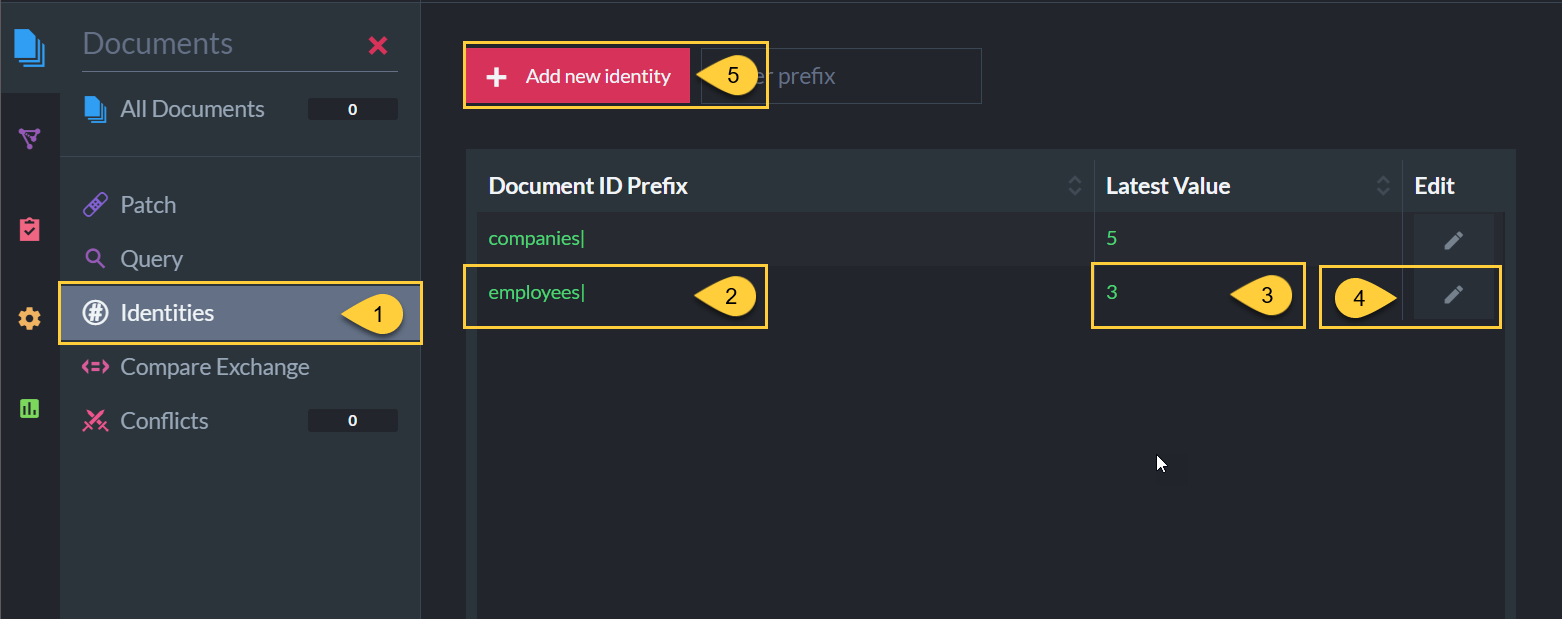
Navigate to Documents > Identities
-
Document ID Prefix
-
This string is the collection name for which an identity value was set:
either via this view, or by creating a document with an identity ID as described here. -
The string that shows is the collection name + a pipe suffix.
-
-
Latest Value
-
This is the latest identity value currently set on the server for the collection.
-
In this example - the latest value for the employees collection is
3.
This means the next document that will be created with an identity in the employees collection
will get the IDemployees/4.
-
-
Click to edit the latest value.
-
Click to add a new identity value for another collection.
Edit identity value
-
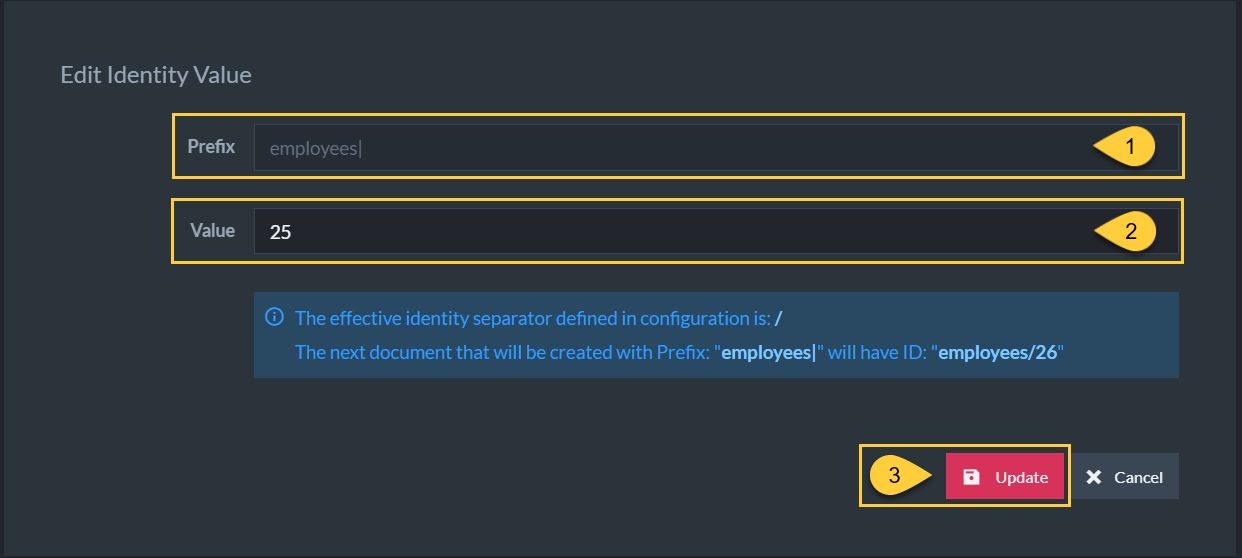
Prefix
The collection for which the value is edited. -
Value
-
Enter a number that will be set as the latest identity value for this collection.
-
In this example we set the value to
25.
This means the next document that will be created with an identity in the employees collection
will get the IDemployees/26.
-
-
Click 'Update' to set the new value.
Add new identity
-
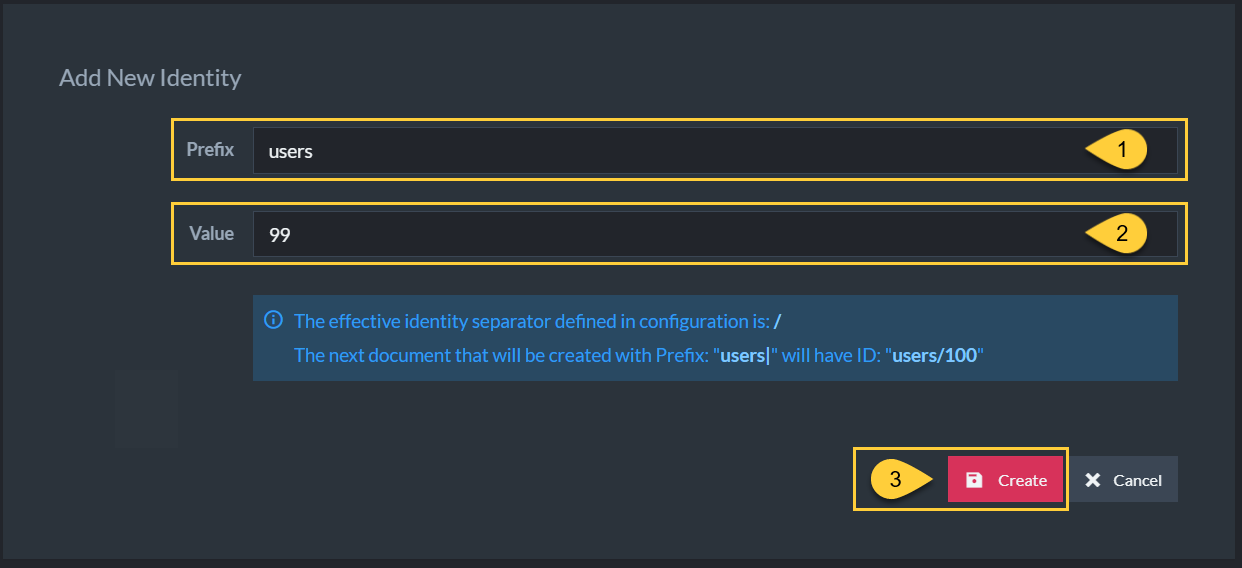
Prefix
-
Enter the collection name for which to set an identity value.
(Using the pipe suffix here is optional, e.g. can enter "users" or "users|"). -
Note: you can specify a collection name that has not been created yet.
-
-
Value
-
Enter a number that will be set as the latest identity value for this collection.
-
In this example we set the value to
99.
This means the next document that will be created with an identity in the users collection
will get the IDusers/100.
-
-
Click 'Create' to create the new identity.