Human Resources Assistant
Overview
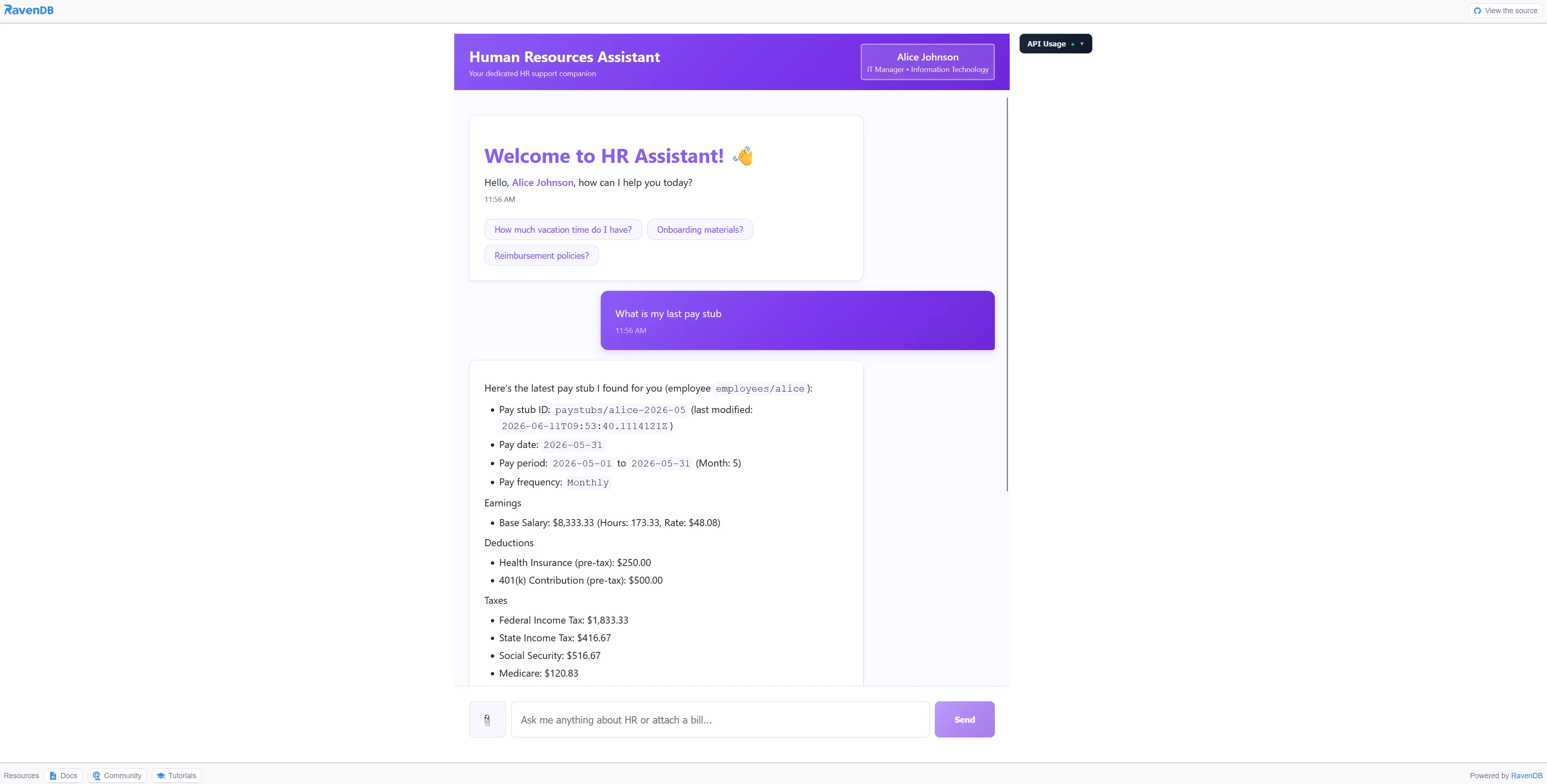
Human Resources Assistant shows how RavenDB keeps an enterprise AI assistant grounded in governed business data. Employee records, HR policies, signature documents, expenses, conversations, and usage telemetry live together, so answers and actions come from the same operational record the application already trusts.
That matters when an assistant is allowed near internal workflows. RavenDB AI Agents limit what the model can query or do, Vector Search finds the right policies by meaning, Time Series and Counters support usage governance, and Document Expiration cleans up sessions without adding another service.
Features used
The HR assistant is created as a RavenDB AI Agent with an employee ID parameter, RQL query tools, tool actions, and an expense-management sub-agent. The model can answer HR questions only through the application-defined surface.
return store.AI.CreateAgentAsync(new AiAgentConfiguration
{
    Identifier = AgentIdentifier,
    Parameters = [new AiAgentParameter(EmployeeIdParameter, "Employee ID; answer only for this employee")],
    SubAgents = [new AiAgentToolSubAgent { Identifier = ExpenseAgentIdentifier }],
    Queries = [new AiAgentToolQuery { Name = "GetEmployeeInfo" }],
    Actions = [new AiAgentToolAction { Name = RaiseIssueAction }]
});
HR policies and employee questions rarely use the same words. The agent uses RavenDB vector search directly in RQL to retrieve policies, issues, and signature documents by semantic similarity before answering.
Query = @"
    from HRPolicies
    where (vector.search(embedding.text(Title), $query)
        or vector.search(embedding.text(Content), $query))
    limit 5"
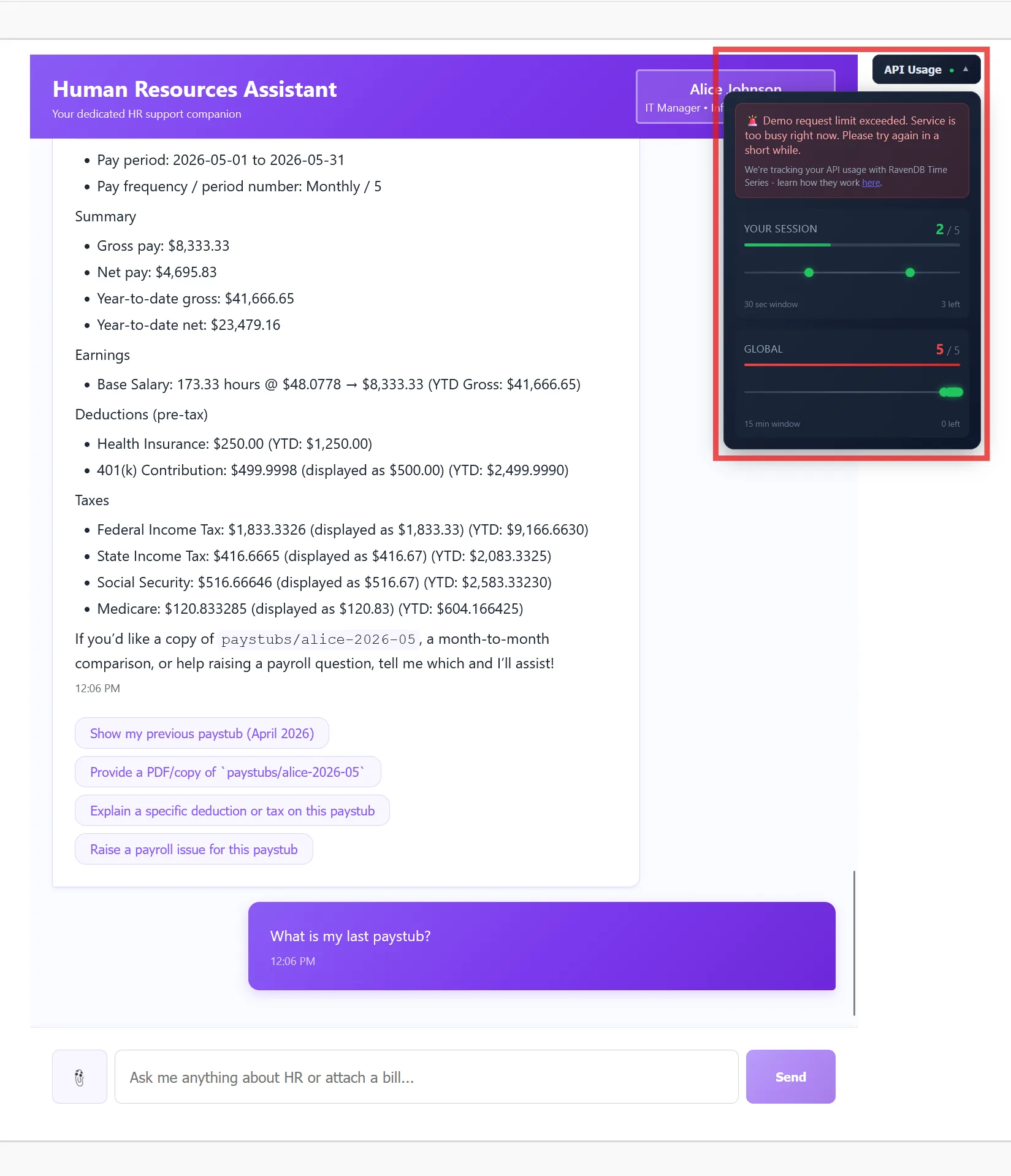
Each AI request appends a point to a RavenDB time series on the session usage document. That gives the application a database-native way to enforce limits over rolling windows and display usage without exporting metrics elsewhere.
session.TimeSeriesFor(doc, Constants.TimeSeries.Requests)
    .Append(DateTime.UtcNow, 1);

await session.SaveChangesAsync();
Token totals are counters on the same session usage document. RavenDB keeps the operational record and the accumulating usage numbers together, which makes live dashboards and limits much simpler.
session.CountersFor(doc)
    .Increment("TotalCompletionTokens", usage.CompletionTokens);

session.CountersFor(doc)
    .Increment("TotalPromptTokens", usage.PromptTokens);
The expense sub-agent can inspect receipt images attached to the conversation and turn confirmed receipts into business-trip expense records. Signature flows use RavenDB documents and attachments together, so the assistant can find the right document and ask for a controlled action.
Conversation and session data should not live forever by accident. Document Expiration gives the sample a database-native cleanup mechanism without a separate cron service.
Technologies
Run locally
- Check out the repository.
- Install .NET 10.x, Node.js 22.x, and Aspire.
- Provide the required Aspire parameters:
openai-api-keyandravendb-license. - Run
npm installin/sampleshr-frontend. - Start the .NET Aspire AppHost with
aspire run. - Open the Aspire dashboard and use the seed data action to populate the sample database.
Community & Support
If you spot a bug, have an idea, or want to ask a question, open an issue or pull request in the repository. The RavenDB team also hangs out on the RavenDB Discord server.
Contributing
Contributions are welcome. See the repository's CONTRIBUTING file for details.
License
This project is licensed with the MIT license.
Challenges & Solutions
Category
Enterprise AI