Fit Assistant
Overview
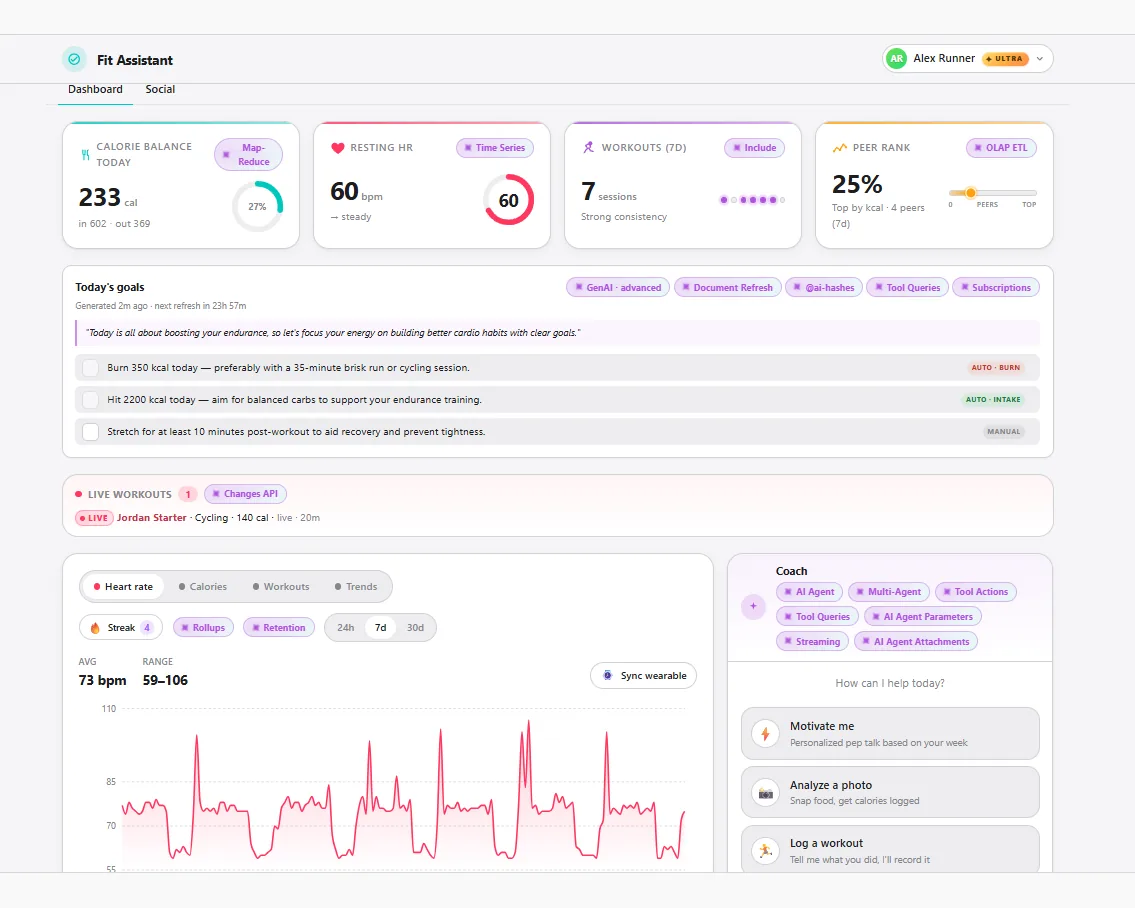
Fit Assistant presents a familiar product challenge: users expect guided experiences, live feedback, activity feeds, and reporting without a fragile chain of specialized data stores. RavenDB keeps those moving parts connected in one operational workflow, so AI decisions, time-based activity data, live reactions, and reporting data all stay tied to the records that drive the application.
The fitness domain is just the wrapper. The same RavenDB pattern applies anywhere a product needs personalized AI, measured activity, live updates, durable integration, and reporting. RavenDB remains the operational system of record, with RabbitMQ, MinIO, and DuckDB used for delivery, file storage, and reporting.
Features used
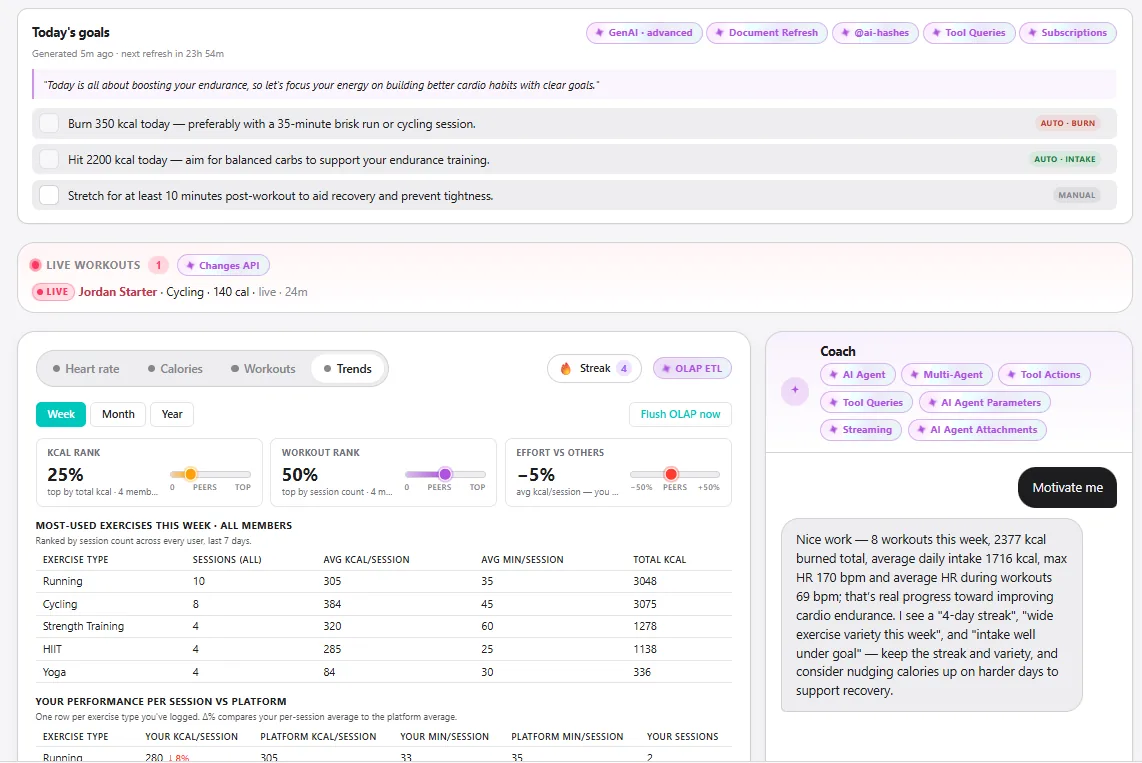
Fit Assistant registers multiple AI connection strings and creates a parent coach agent in RavenDB. The parent has scoped queries, typed actions, user parameters, and sub-agents, so the model can act from RavenDB data without receiving an unlimited database surface. The same workflow also supports attachments, streaming responses, and AI usage tracking with time series and counters.
var chatAgent = new AiAgentConfiguration(
    Constants.Agent.Id,
    Constants.Agent.MiniConnectionStringName,
    Prompts.CoachParent)
{
    Parameters = CoachAgentDefinition.Parameters(),
    Queries    = CoachAgentDefinition.UserScopedQueries(),
    Actions    = CoachAgentDefinition.Actions(),
    SubAgents  = CoachAgentDefinition.SubAgents()
};

await _store.AI.CreateAgentAsync(chatAgent);
Tool parameters keep queries inside the current user's boundary, and usage tracking stays in RavenDB documents:
new AiAgentParameter("userId",
    "The ID of the current user profile document.",
    sendToModel: false,
    policy: AiAgentParameterPolicy.ForbidModelGeneration);

new AiAgentToolQuery(
    "GetRecentHeartRate",
    "Get the user's heart rate time series data.",
    "from UserProfiles where id() == $userId select timeseries(from HeartRates between $from and $to)");

session.TimeSeriesFor(doc, Constants.TimeSeries.Requests).Append(DateTime.UtcNow, 1);
session.CountersFor(doc).Increment("TotalPromptTokens", usage.PromptTokens);
The daily-goals GenAI task runs over UserProfiles, builds context from profile and activity data, writes a typed DailyGoals document, sets expiration on that document, and re-arms the user profile with @refresh for the next generation cycle. The same pattern works for recurring business decisions that need governed AI output, lifecycle rules, and repeatable database-side triggers.
var config = new GenAiConfiguration
{
    Collection = "UserProfiles",
    GenAiTransformation = new GenAiTransformation
    {
        Script = DailyGoalsGenAiDefinition.TransformScript
    },
    JsonSchema   = DailyGoalsGenAiDefinition.JsonSchema,
    UpdateScript = DailyGoalsGenAiDefinition.UpdateScript((int)cadenceMs),
    Queries      = DailyGoalsGenAiDefinition.Queries(),
};

await _store.Maintenance.SendAsync(new AddGenAiOperation(config));
The sample stores heart-rate points as RavenDB time series on UserProfiles. The database keeps raw points for short windows and maintains hourly, daily, and monthly rollups so charts query the right resolution for the selected range. The same screen also uses map-reduce indexes for daily calorie totals and includes to load related profile data without N+1 reads.
["UserProfiles"] = new TimeSeriesCollectionConfiguration
{
    RawPolicy = new RawTimeSeriesPolicy(TimeValue.FromDays(30)),
    Policies =
    [
        new("ByHour",  TimeValue.FromHours(1), TimeValue.FromDays(30)),
        new("ByDay",   TimeValue.FromDays(1),  TimeValue.FromDays(180)),
        new("ByMonth", TimeValue.FromDays(30), TimeValue.FromYears(100)),
    ],
};
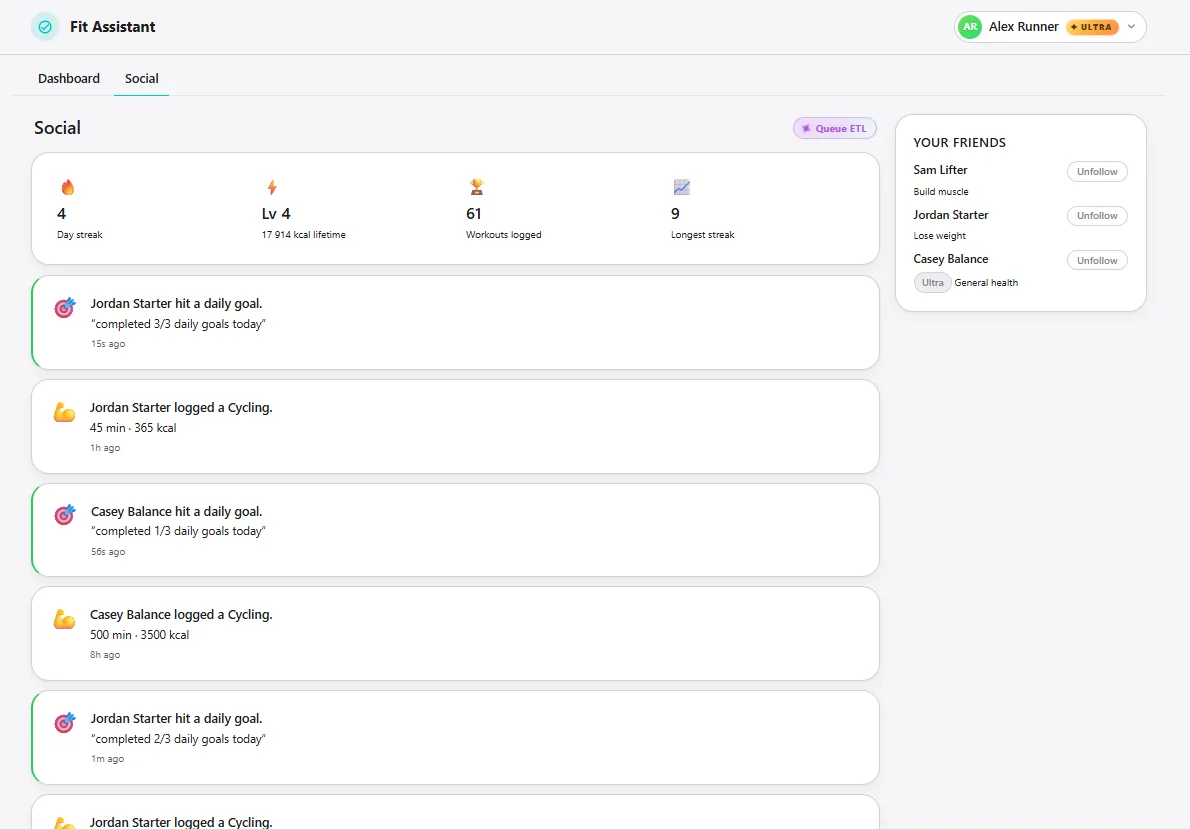
Fit Assistant shows three update patterns with different durability needs. Data Subscriptions re-evaluate generated goals when food or workout documents change. Changes API pushes fresh workout documents to the UI without polling. Queue ETL publishes per-follower activity messages to RabbitMQ so the FitFeed worker can consume at its own pace.
await store.Subscriptions.CreateAsync(
    new SubscriptionCreationOptions<ExerciseSession>
    {
        Name = Constants.Subscriptions.GoalAutoFulfillFromExercise
    });

await worker.Run(async batch =>
{
    foreach (var userId in batch.Items.Select(i => i.Result.UserProfileId).Distinct())
        await EvaluatePredicatesAsync(userId, GoalType.Burn, SumBurnedKcalAsync, stoppingToken);
}, stoppingToken);
The Queue ETL transform keeps routing close to the data:
var actor = load(this.UserProfileId);
if (!actor || !actor.Follows || actor.Follows.length === 0) return;

for (var i = 0; i < actor.Follows.length; i++) {
    loadToactivity_feed({
        recipientUserId: actor.Follows[i],
        actorUserId:     this.UserProfileId,
        sessionId:       id(this),
        caloriesBurned:  this.CaloriesBurned
    });
}
The live UI path is intentionally lighter:
var changes = _store.Changes();
await changes.EnsureConnectedNow();

_changesSubscription = changes
    .ForDocumentsInCollection<ExerciseSession>()
    .Subscribe(new ChangeObserver(this, stoppingToken));

var doc = await session
    .Include<ExerciseSession>(x => x.UserProfileId)
    .LoadAsync<ExerciseSession>(change.Id, ct);
Fit Assistant keeps OLTP writes in RavenDB and exports completed workouts through OLAP ETL to MinIO as Parquet. DuckDB reads that reporting copy for peer ranking and trends without making the operational database do warehouse-style scans.
var t = new Date(this.StartTime);
var year  = t.getUTCFullYear();
var month = t.getUTCMonth() + 1;
var day   = t.getUTCDate();

loadToexercises(partitionBy(['year', year], ['month', month], ['day', day]), {
    userId: this.UserProfileId,
    exerciseType: this.Type,
    caloriesBurned: this.CaloriesBurned
});
Technologies
Run locally
- Check out the repository.
- Install .NET 10, Aspire, Node.js 22 or newer, and Docker Desktop.
- Install frontend dependencies with
npm installinsrc/FitAssistant.Frontend. - Run
aspire runfrom the repository root. - Provide the Aspire parameters
openai-api-keyandravendb-license.
Community & Support
If you spot a bug, have an idea, or want to ask a question, open an issue in the repository. The RavenDB team also hangs out on the RavenDB Discord server.
Contributing
Contributions are welcome. See the repository's CONTRIBUTING file for details.
License
This project is licensed with the MIT license.
Challenges & Solutions
Feature
Category
Health & Fitness