BrainSlop
Overview
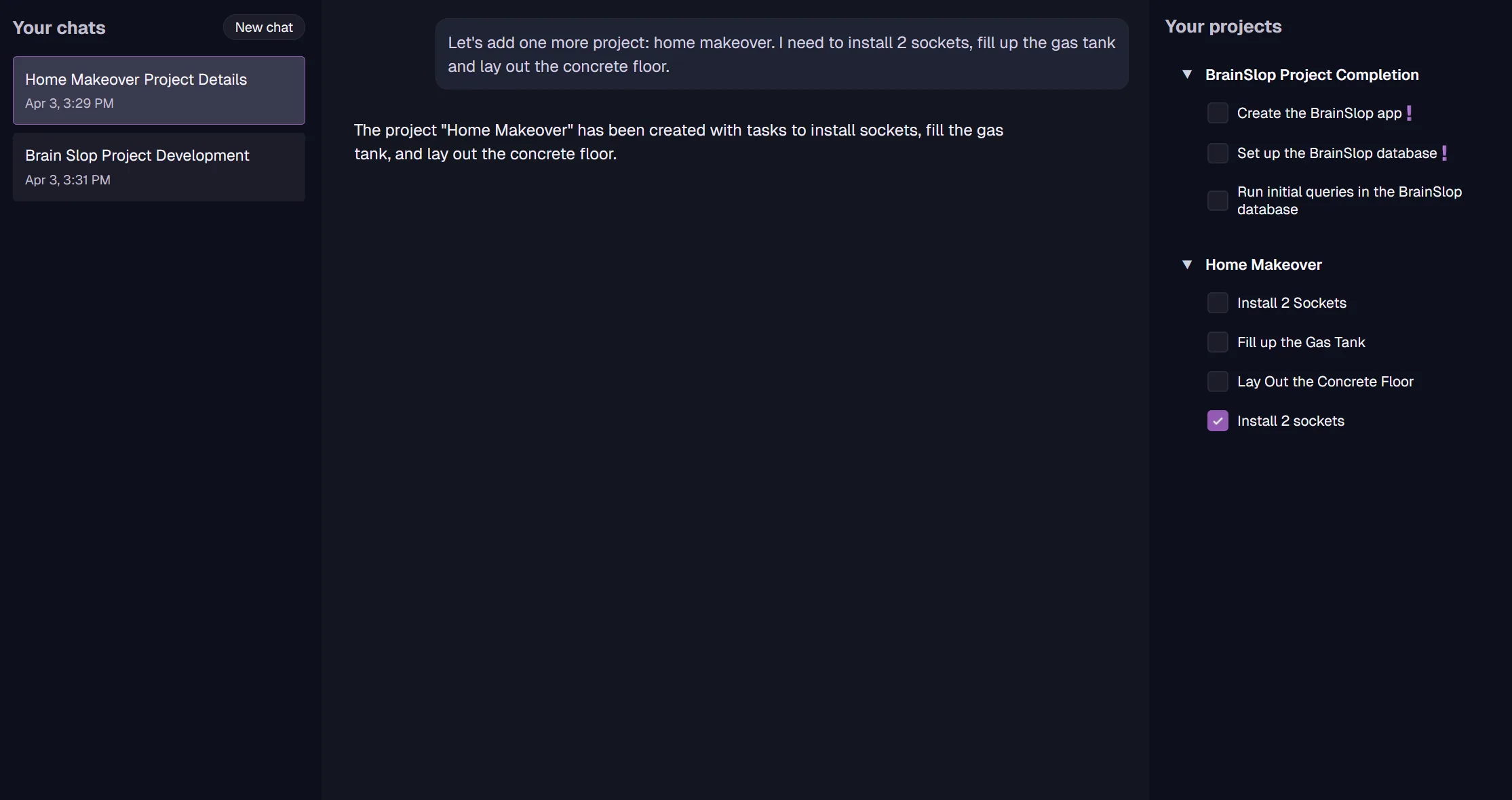
BrainSlop shows how RavenDB helps applications turn messy AI-assisted input into controlled business changes. A user can describe project work in plain language, while RavenDB AI Agents resolve the request against current project and task documents and return proposed actions for the application to approve.
The value is governance without slowing the user down. Conversations, pending tool calls, approved changes, project documents, task documents, and generated titles all stay in RavenDB, so AI can help move work forward while validation, approval, history, and persistence remain application-owned.
Features used
BrainSlop configures one RavenDB AI Agent with RQL query tools for projects and tasks plus action tools for mutations. The agent can answer from RavenDB data, but writes are represented as tool calls first.
await store.maintenance.send(new AddOrUpdateAiAgentOperation({
    identifier: "assistant",
    name: "Assistant",
    connectionStringName: "OpenAI",
    systemPrompt: SYSTEM_PROMPT,
    queries: AGENT_QUERIES,
    actions: AGENT_ACTIONS,
    disabled: false,
}));
BrainSlop also configures a GenAI task over the @conversations collection. RavenDB watches the stored conversation, sends a compact context object to the model, and writes the generated title back into the same document.
const genAiConfig = new GenAiConfiguration();
genAiConfig.name = "Conversation Title Generator";
genAiConfig.collection = "@conversations";
genAiConfig.prompt = "Create a concise title summarizing the main topic of this conversation.";
genAiConfig.sampleObject = '{"Title": "The title of the conversation"}';
genAiConfig.updateScript = "this.Title = $output.Title";
The application extracts open AI action calls, validates their arguments with typed schemas, and only then runs the matching repository operation. Approval or rejection is sent back into the RavenDB AI conversation as a tool response.
export async function executeAction(chatId: string, action: Action, onChunk: (chunk: string) => void) {
    const executionResponse = await executeMappedAction(action);

    return await sendToolMessage(
        chatId,
        { toolId: action.id, response: executionResponse },
        onChunk
    );
}
RavenDB keeps the project-management state in ordinary documents. AI output becomes typed application input that updates those documents through repository code, so teams can add assistance without creating a second state model for the assistant.
const executors = {
    CreateProject: executeCreateProjectAction,
    AddNewTask: executeAddNewTaskAction,
    EditTask: executeEditTaskAction,
    EditProject: executeEditProjectAction,
    DeleteProject: executeDeleteProjectAction,
    DeleteTask: executeDeleteTaskAction
};
Revisions are valuable when AI is allowed near business data. BrainSlop demonstrates a workflow where changes are still normal RavenDB document updates, so the same revision history used for human edits can also cover AI-assisted edits.
Technologies
Run locally
- Check out the repository.
- Install Node.js and RavenDB.
- Start RavenDB in unsecured mode for local development.
- Run
npm install. - Run
npm run dev.
Community & Support
If you spot a bug, have an idea, or want to ask a question, open an issue or pull request in the repository. The RavenDB team also hangs out on the RavenDB Discord server.
Contributing
Contributions are welcome. See the repository's CONTRIBUTING file for details.
License
This project is licensed with the MIT license.
Challenges & Solutions
Tech stack
Category
Project Management