App: Conversations View
-
A conversation is the exchange between one of your users and an AI agent, carried over a channel.
-
Quill records the conversations held by the app's agents and lists them in the Conversations view, where you can follow their history and statistics, find conversations by their properties, and read conversation transcripts.
Conversations can be read in this view, but not edited or deleted. -
A conversation's transcript shows the full correspondence between your user and the agent as well as the instructions the agent followed and the tools the agent ran while answering.
-
Conversations are kept available in the Conversations view even after the agents that held them or the channels that carried them are deleted.
-
In this article:
Opening the Conversations view
To open the Conversations view, select the app in Quill's management dashboard and click Conversations in the sidebar, under Database.
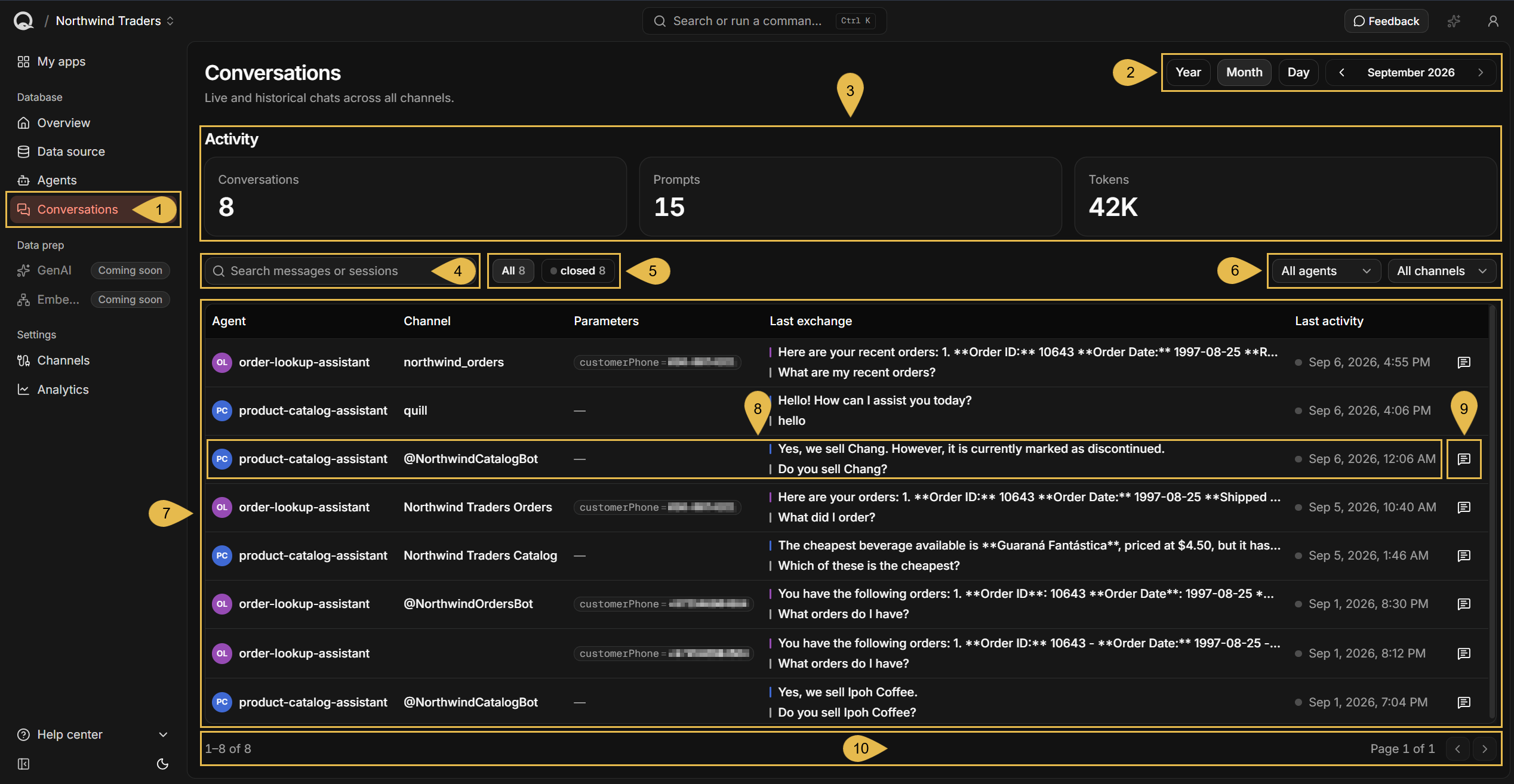
- Conversations
Open the Conversations view. - Period selector
Use these controls to select the time period for which conversations are reported and listed.- Click Year, Month, or Day to pick a period span.
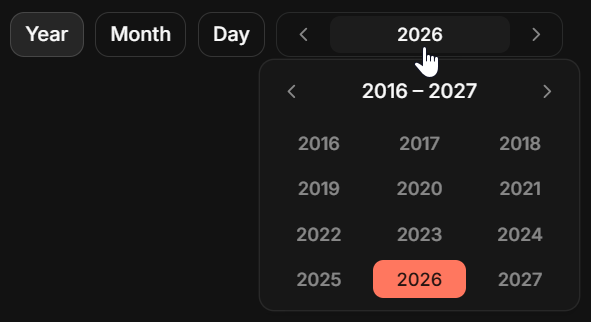
- Click the period label to pick a specific year, month, or day.
- Use the arrows to select an earlier or a later period.
An arrow is disabled at the end of the available range, which starts with the period in which the app was created and ends with the current period.

- Periods are UTC calendar periods, as the UTC indicator at the end of the selector reminds you.
- Activity counters
These counters report the activities of conversations that started during the selected period, for the entire duration of the conversations, including their activities after the selected period.
e.g., if the selected period is August and a conversation started on August 31 and ended on September 1 (UTC), the counters will include the conversation's activities for both August 31 and September 1.- Conversations
The number of conversations your users started with the app's agents within the selected period.
Conversations that started before the selected period are not counted, even if they span through this period and are therefore shown in the conversations list. - Prompts
The number of messages your users sent during the conversation runtime.
Agent replies are not counted. - Tokens
The number of tokens consumed during the conversation runtime, as reported by the LLM provider.
- Conversations
- Search messages or sessions
Enter text to filter the conversations.
Quill will match the text against conversations' agent name, channel name, parameter names and values, and last exchange. - The state filter
Filter the listed conversations by their state.- All lists all conversations.
- A toggle is added for each state found among the listed conversations.
Each state has a colour, carried by the dot on its toggle:
active (green) - list conversations whose last message arrived less than an hour ago.
idle (amber) - list conversations whose last message arrived between one and 24 hours ago.
closed (grey) - list conversations whose last message arrived more than 24 hours ago.
- The agent and channel filters
Restrict the listed conversations to a single agent or to a single channel.- The agent filter offers only the agents that appear in the conversations currently listed.
- The channel filter offers only the channels that appear in the conversations currently listed.
- The conversations list
Lists the conversations, one row per conversation, the most recently active first. - Conversation information
Each row shows the following details for a single conversation:- Agent
The identifier of the agent that held the conversation, derived from the agent's name.
Open the agent's configuration from the Agents view. - Channel
The channel that carried the conversation.
The cell is empty when the conversation was held in the agent's test chat, or when the channel that carried the conversation has since been deleted.
Open the channel's details from the Channels view. - Parameters
The agent parameters bound for the conversation, each with the value it was given.
A dash is shown when the conversation has no parameters. - Last exchange
The agent's last reply, and the prompt the agent answered. - Last activity
The time of the last message in the conversation, in UTC, preceded by a dot in the colour of the conversation's state.
- Agent
- View transcript
Open the full transcript of the conversation. See The conversation's transcript. - Paging
Each page lists up to 50 conversations. Use the arrows to move to the previous or the next page.
The search box, the three filters, and the number each state toggle shows apply only to the current page.
The conversation's transcript
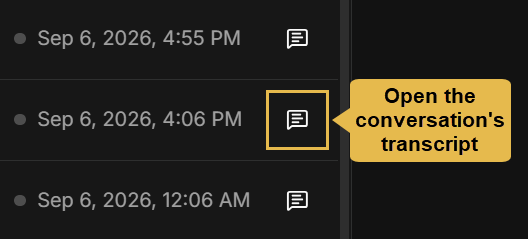
To read a full conversation and review its properties, click the transcript icon at the end of the conversation's row
in the conversations list.
The transcript sheet holds the conversation as it ran, including the user prompts, agent replies, and tools run by the agent.
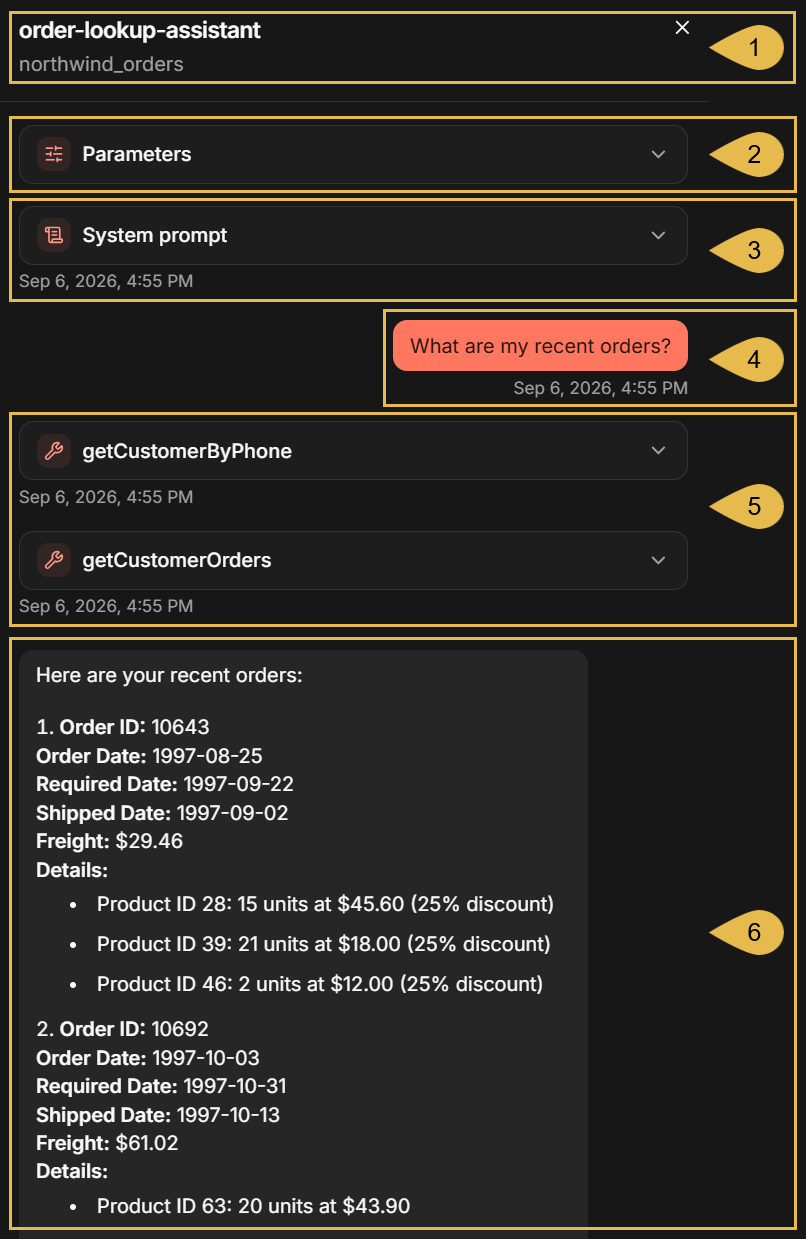
- Agent and channel names
The agent that held the conversation, and the channel that carried it. - Parameters
Expanding the Parameters section shows any agent parameters bound for the conversation, each with the value it was given.
- System prompt
The instructions the agent followed throughout the conversation.
Quill adds to the instructions a description of each parameter that is sent to the LLM, so the entry can hold more than the system prompt set in the agent's configuration.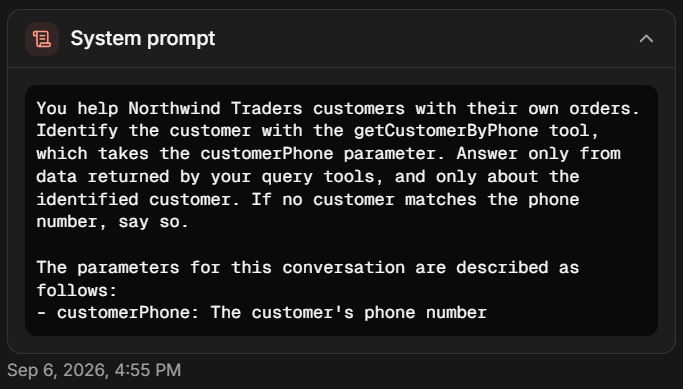
- A prompt
A message your user sent.
Every entry in the transcript carries a timestamp, in UTC, indicating the time it was recorded. - The tools the agent ran
Lists each query tool or action the agent ran while answering, labelled with the tool's name.
Expanding an entry shows any parameters the LLM provided while requesting the tool, and the tool's response.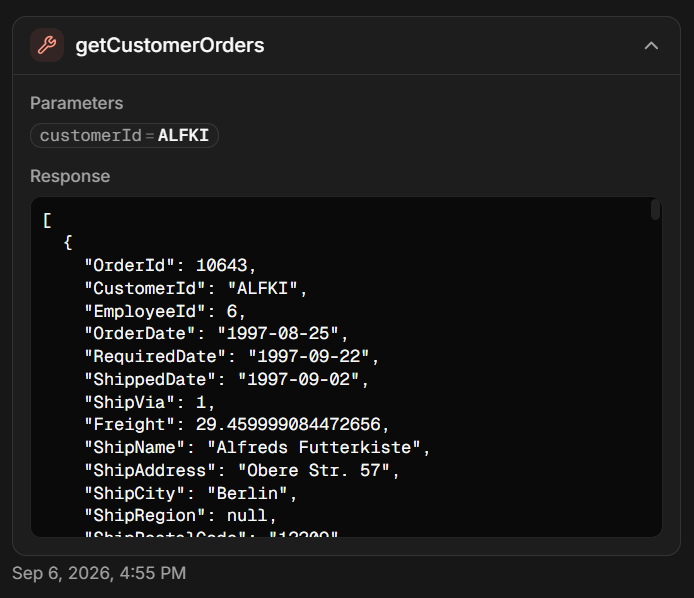
- The agent's reply
The answer the agent returned to your user.