Ongoing Tasks - Overview
-
Ongoing tasks are work tasks defined for the database.
-
Each task is assigned a responsible node from the Database Group nodes to handle the work.
- If not specified by the user, the cluster decides which node will be responsible for the task. See Members Duties.
- If a node is down, the cluster will reassign the work to another node.
-
Once enabled, an ongoing task runs in the background and executes its defined work whenever relevant data changes occur.
-
Ongoing tasks can also be managed via the Client API.
See Ongoing tasks operations. -
In this article:
The ongoing tasks
Creating a new task
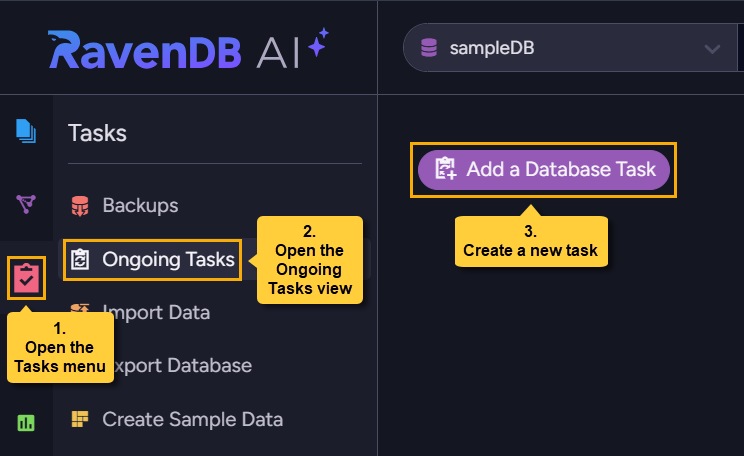
To create a new database task open the Ongoing Tasks view, click the Add a Database Task button, and select a task type.
Available task types
The following task types are available:
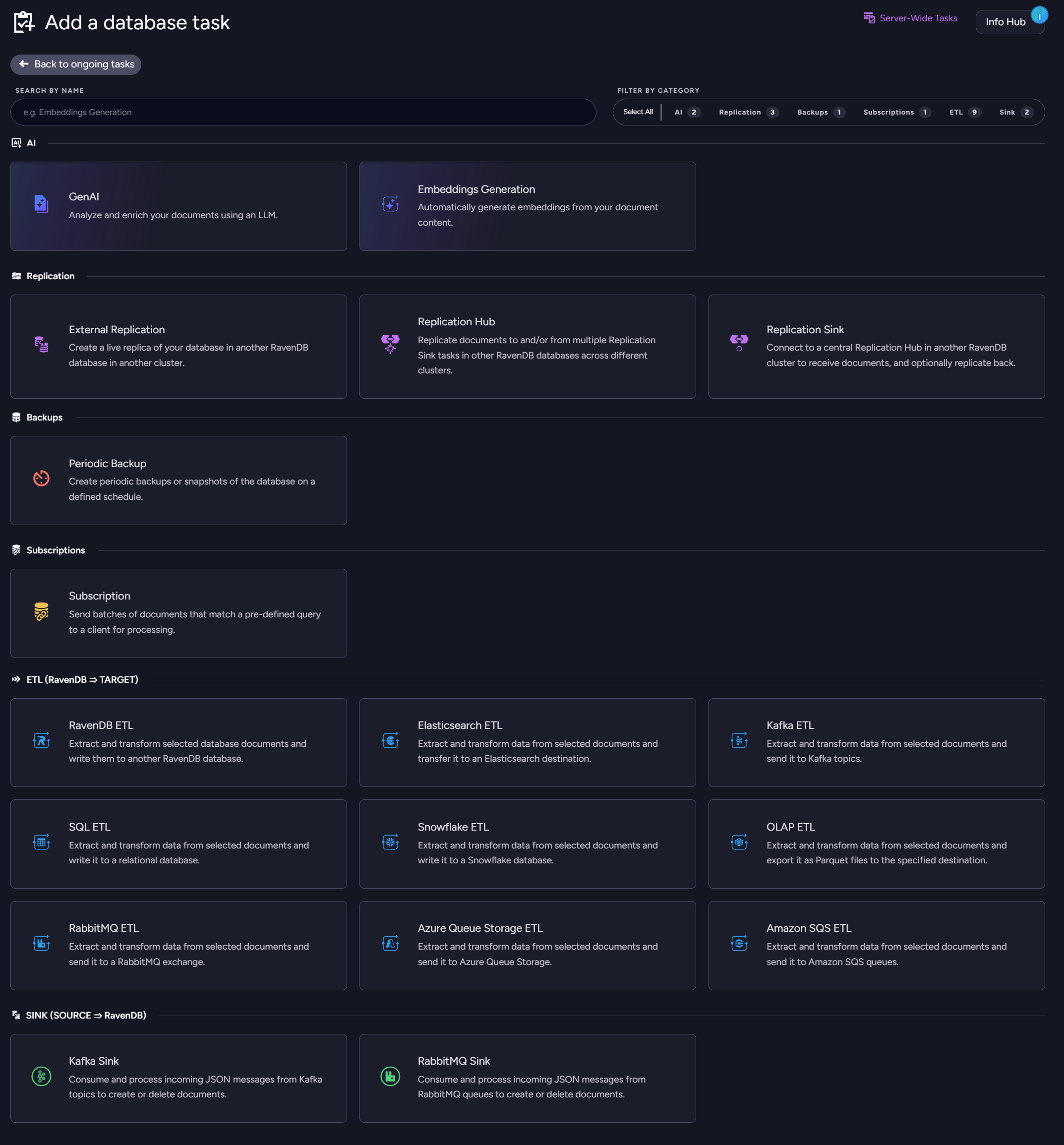
AI:
- GenAI
Analyze and enrich your documents using an LLM. - Embeddings Generation
Automatically generate embeddings from your document content.
Replication:
- External Replication
Create a live replica of your database in another RavenDB database in another cluster.
This replication is initiated by the source database. - Replication Hub
Replicate documents to and/or from one or moreReplication Sinktasks in other RavenDB databases across different clusters. - Replication Sink
Connect to a centralReplication Hubin another RavenDB cluster to receive documents, and optionally replicate back.
The replication can be bidirectional or limited to a single direction, and can be filtered to allow the delivery of selected documents.
Backups:
- Backup
Schedule a backup or a snapshot of the database at a specified point in time.
Subscriptions:
- Subscription
Send batches of documents that match a pre-defined query for processing on a client.
ETL (RavenDB => Target):
- RavenDB ETL
Write all or chosen database documents to another RavenDB database.
Data can be filtered and modified with transformation scripts. - SQL ETL
Write the database data to a relational database.
Data can be filtered and modified with transformation scripts. - Snowflake ETL
Write all or chosen database documents to a Snowflake database.
Data can be filtered and modified with transformation scripts. - OLAP ETL
Convert database data to the Parquet file format for OLAP purposes.
Data can be filtered and modified with transformation scripts. - Elasticsearch ETL
Write all or chosen database documents to an Elasticsearch destination.
Data can be filtered and modified with transformation scripts. - Kafka ETL
Write all or chosen database documents to topics of a Kafka broker.
Data can be filtered and modified with transformation scripts. - RabbitMQ ETL
Write all or chosen database documents to a RabbitMQ exchange.
Data can be filtered and modified with transformation scripts. - Azure Queue Storage ETL
Write all or chosen database documents to Azure Queue Storage.
Data can be filtered and modified with transformation scripts. - Amazon SQS ETL
Write all or chosen database documents to Amazon SQS queues.
Data can be filtered and modified with transformation scripts.
Sink (Source => RavenDB):
- Kafka Sink
Consume and process incoming messages from Kafka topics.
Add scripts to Load, Put, or Delete documents in RavenDB based on the incoming messages. - RabbitMQ Sink
Consume and process incoming messages from RabbitMQ queues.
Add scripts to Load, Put, or Delete documents in RavenDB based on the incoming messages. - CDC Sink
Read Change Data Capture streams from a relational database (PostgreSQL, SQL Server, or MySQL/MariaDB).
Insert, update, and delete operations from the source database are continuously written as documents into RavenDB.
The ongoing tasks list
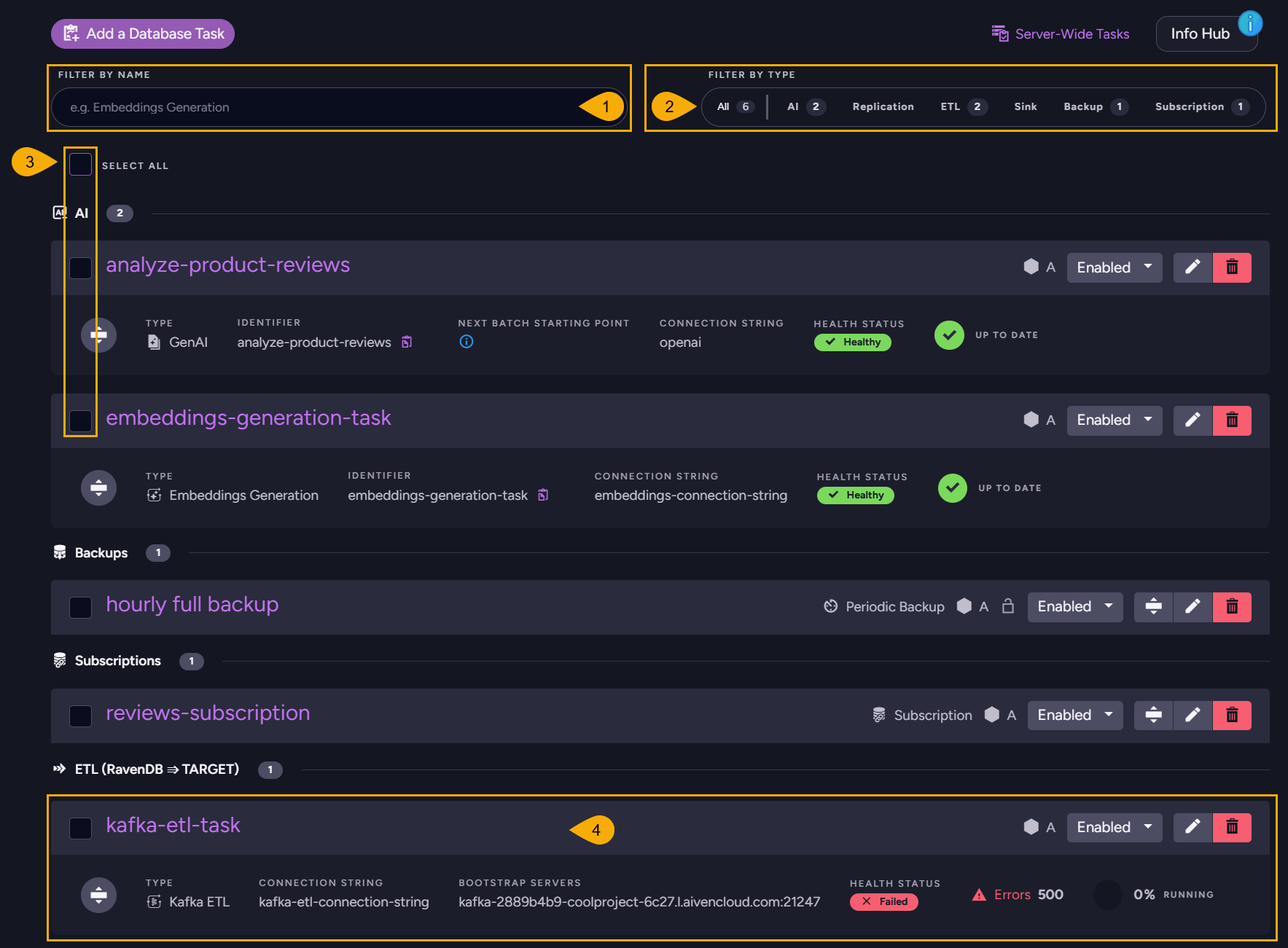
The tasks you create are listed in the Ongoing Tasks view, where you can see their status at a glance, expand task bars for further details, perform basic actions like disabling or deleting tasks, and open any task for editing.
-
Filter by name
Enter a string to list only tasks whose name includes this string. -
Filter by type
Click All to see tasks of all types.
Click a specific task type, e.g.ETL, to add tasks of this type to the view. -
Selection boxes
Select all tasks using the "select all" checkbox at the top.
Select individual tasks using task-specific checkboxes.
Selecting tasks opens an action bar. Use Set state to enable or disable the selected tasks, or Delete to remove them.

-
Task bar
- Each defined task is represented by a task bar.
- A task bar always shows the task's name and type, whether it is enabled, and which cluster node is responsible for running it.

- You can enable, disable, edit, or delete the task.
You can also expand each task bar for additional details and options related to the task.
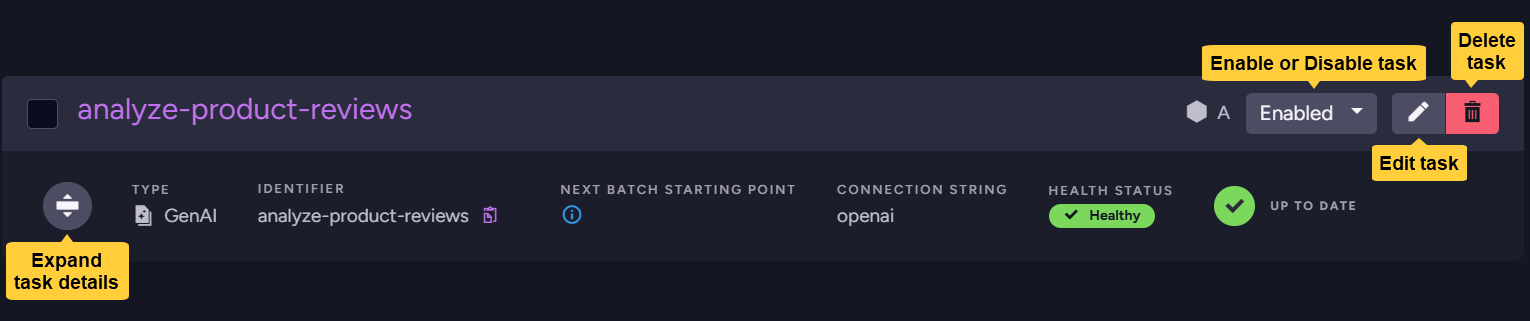
- Other details and available actions vary by task type.
Disabling tasks and tombstone cleanup
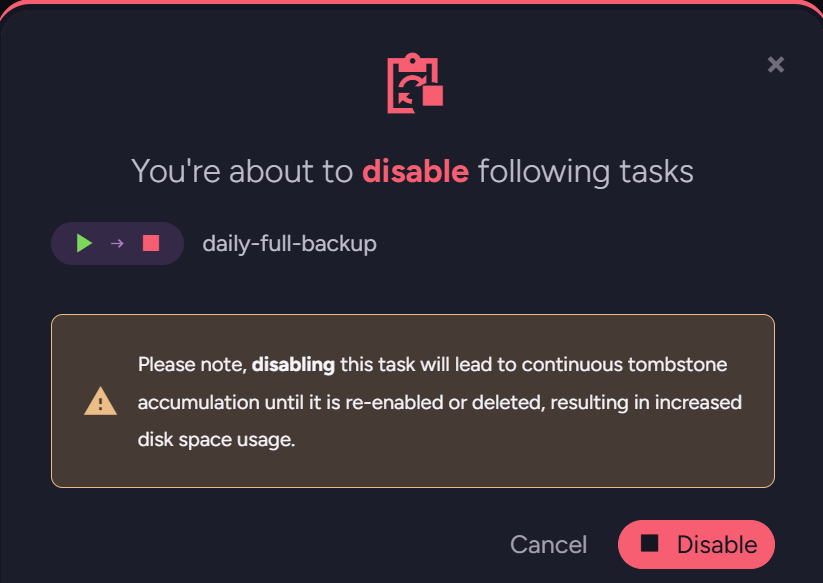
Disabling a task that processes tombstones (replication, ETL, or periodic backup) prevents tombstone cleanup from removing the tombstones the task would have processed, causing the accumulation of the unprocessed tombstones until the task is re-enabled or deleted.
Studio will warn you before disabling such a task:
Subscriptions do not process tombstones, so disabling a subscription will show no warning.