Ongoing Task Stats: Subscription Stats
-
A Subscription Task is an ongoing task in which the server sends documents that match a query defined on the task to a client.
-
The server sends the documents in batches in an orderly manner, waiting for the client to acknowledge the consumption of each batch before sending the next.
-
Learn more about data subscription tasks here.
-
Studio's Ongoing Task Stats view draws a track for each of a database's ongoing tasks.
This page covers the activity of a data subscription. -
In this article:
Subscription Stats
Subscription Stats Closed View

- Task Type
Click the arrow or the task type to toggle Closed/Expanded View. - Task Name
- Query
Click to display the subscription query. - Task Bar
- Hover over the bar to display a tooltip with the task's information.
- Click the bar for the expanded view.
- Click and Drag the bar to slide the graph.
- Zoom in & out using the mouse wheel.
Subscription Stats Expanded View
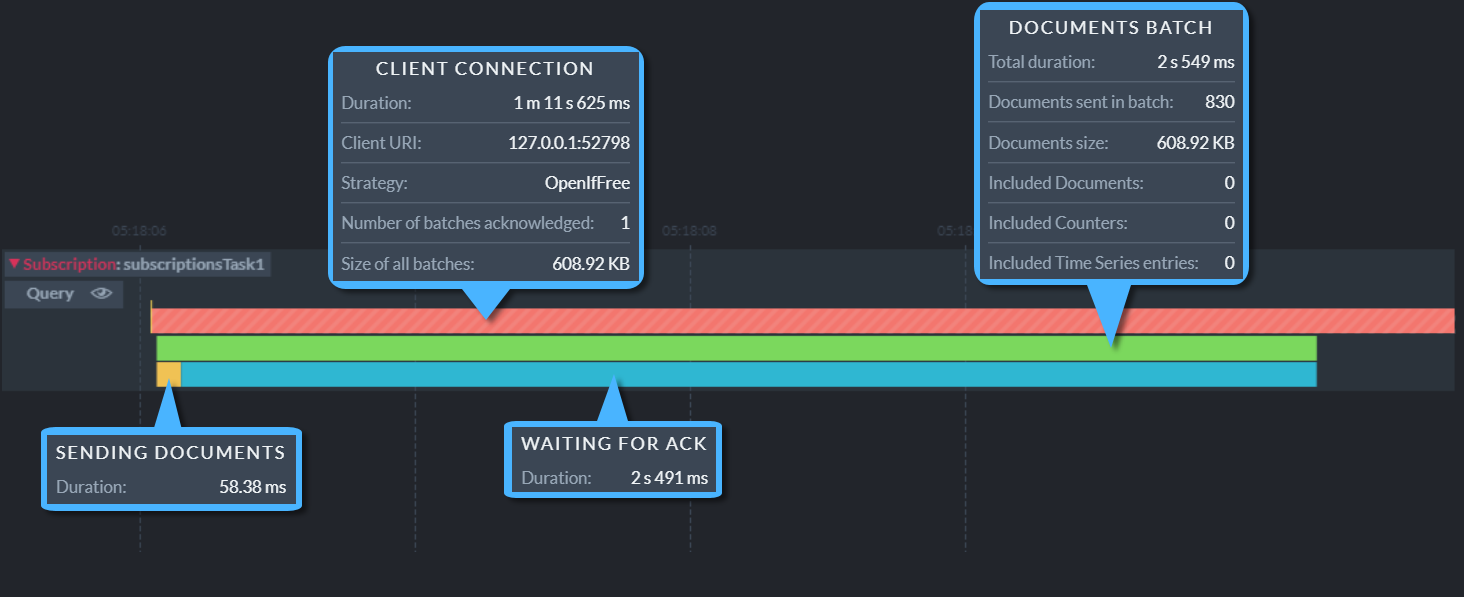
- Client Connection
- Duration
Overall connection time. - Client URL
- Strategy
The strategy used by the client. - Number of batches acknowledged
The number of batches whose processing was completed & confirmed by the client. - Size of all batches
The total size of all batches sent in this connection.
- Duration
- Documents Batch
- Total duration
The amount of time it took to deliver this batch. - Documents sent in batch
The number of documents delivered in this batch. - Documents size
Overall size of Transferred documents. - Included Documents
Included Counters
Included Time Series entries
Number of included documents, counters, and time series
- Total duration
- Sending Documents
The time it took the server to send the documents in this batch. - Waiting for ACK
The time it took the client to acknowledge this batch.
Connection Event Indicators
Connection Event Indicators signify events related to the initiation, state, or termination of a client connection.
- Indicators are shown in both the collapsed and the expanded task tracks.
- Hovering over a connection event indicator displays the details of the event, when details are available.
Connection Initiated

Connection Aborted
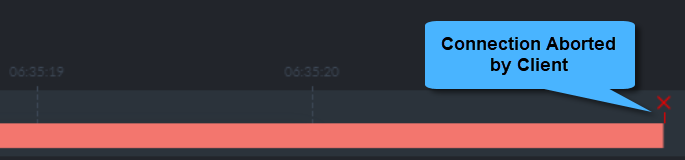
The client has forcibly aborted the connection.
Connection Rejected
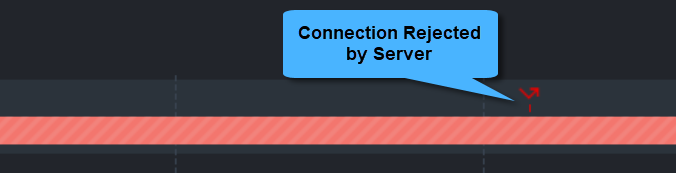
A subscription task handles only a single client/connection at a time.
A client that uses the OpenIfFree strategy has attempted to open a connection to the subscription task but was rejected because the task is already occupied by another client.
Pending Connection

- Client A connects to the subscription task.
- Client B, using the WaitForFree strategy,
attempts to connect the task.
Discovering that the task is occupied, Client B is now pending, waiting for Client A to disconnect.
The dotted yellow line shows the pending period for Client B. - Client A disconnects from the subscription task.
- Client B starts a new connection to the subscription task.