Integrations View
-
Use the Integrations view to define credentials that third-party clients must provide when connecting to RavenDB.
-
Providing these credentials is required only when RavenDB runs as a secure server.
-
In this article:
PostgreSQL Protocol Credentials
Define the credentials that clients connecting over the PostgreSQL protocol, like Power BI, must provide to access a RavenDB database.
Open the Integrations view
To open the Integrations view: Settings > Integrations
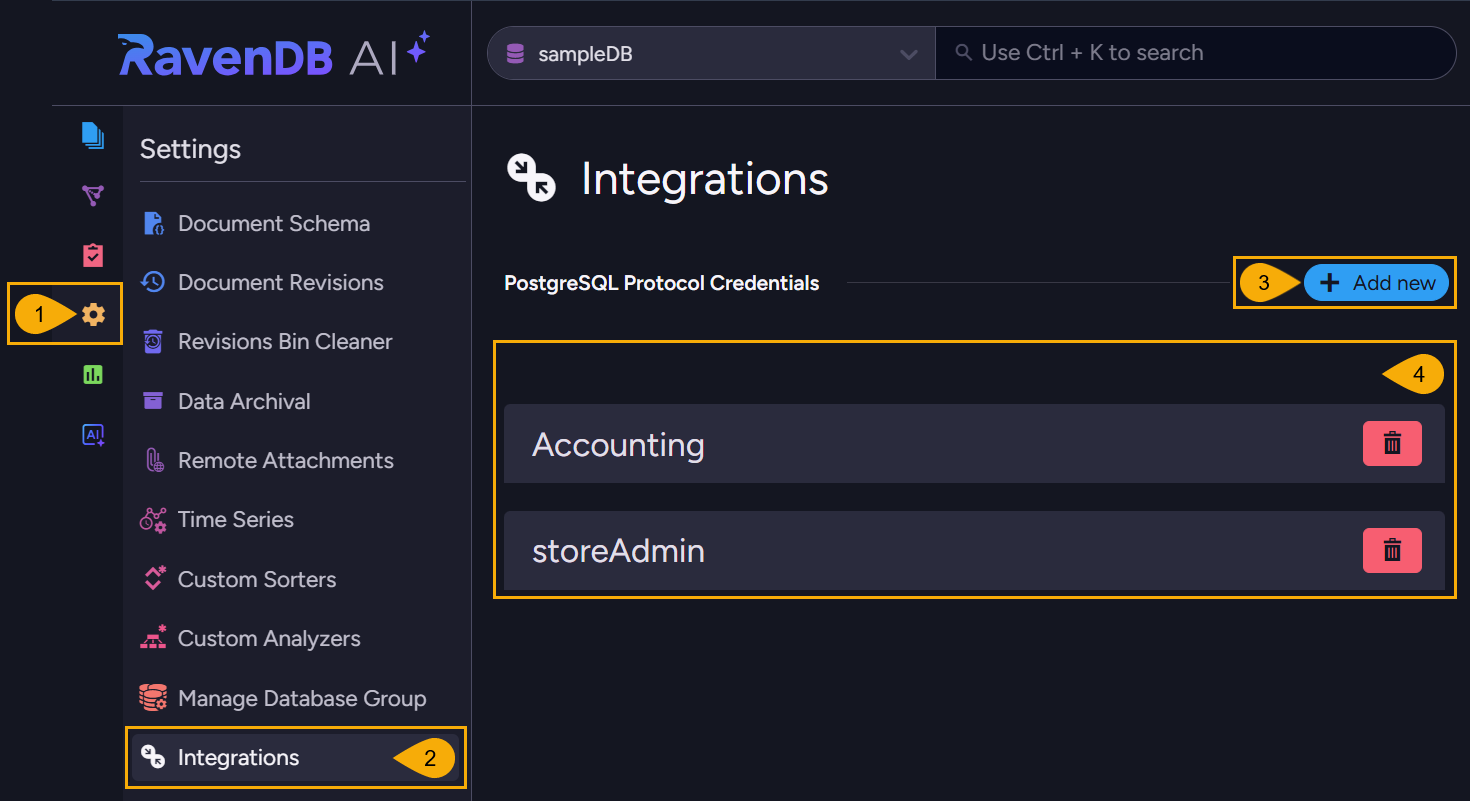
- Settings
Open the Settings menu. - Integrations
Open the Integrations view. - Add new
Click to add a credential.
The New credential pane opens (see Add a credential). - PostgreSQL Protocol Credentials
The credentials defined so far are listed here, each with a button to delete it.
Add a credential
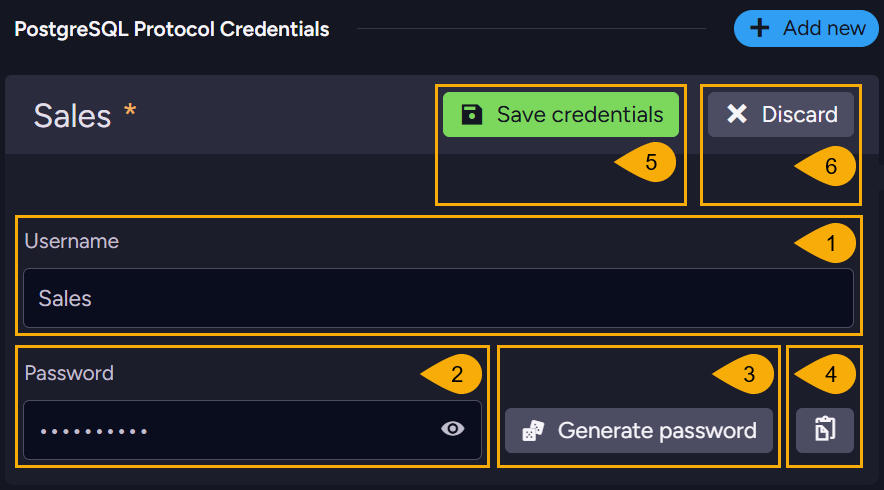
Clicking Add new opens the New credential pane.
-
Username
Enter the credential's user name. -
Password
Enter a password, or generate one (see callout 3).
Click the eye icon to reveal the typed password. -
Generate password
Fill the password field with a randomly generated password. -
Copy to clipboard
Copy the password to the clipboard.A saved credential cannot be edited, and its password cannot be viewed again: a listed credential shows only its user name and a button to delete it.
Copy the password before saving if the client will need it later.
To change a password, delete the credential and create a new one. -
Save credentials
Save the credential. -
Discard
Discard the credential without saving.