Documents: Conflicts View
-
Manually resolve a conflict between two documents in this view.
-
For a conflict overview see: What is a Conflict
-
Note:
By default, conflicts are resolved using the latest document version when no script is defined.
Conflicts will be created only if this option is unchecked in Conflict Resolution.
The Conflicts View
-
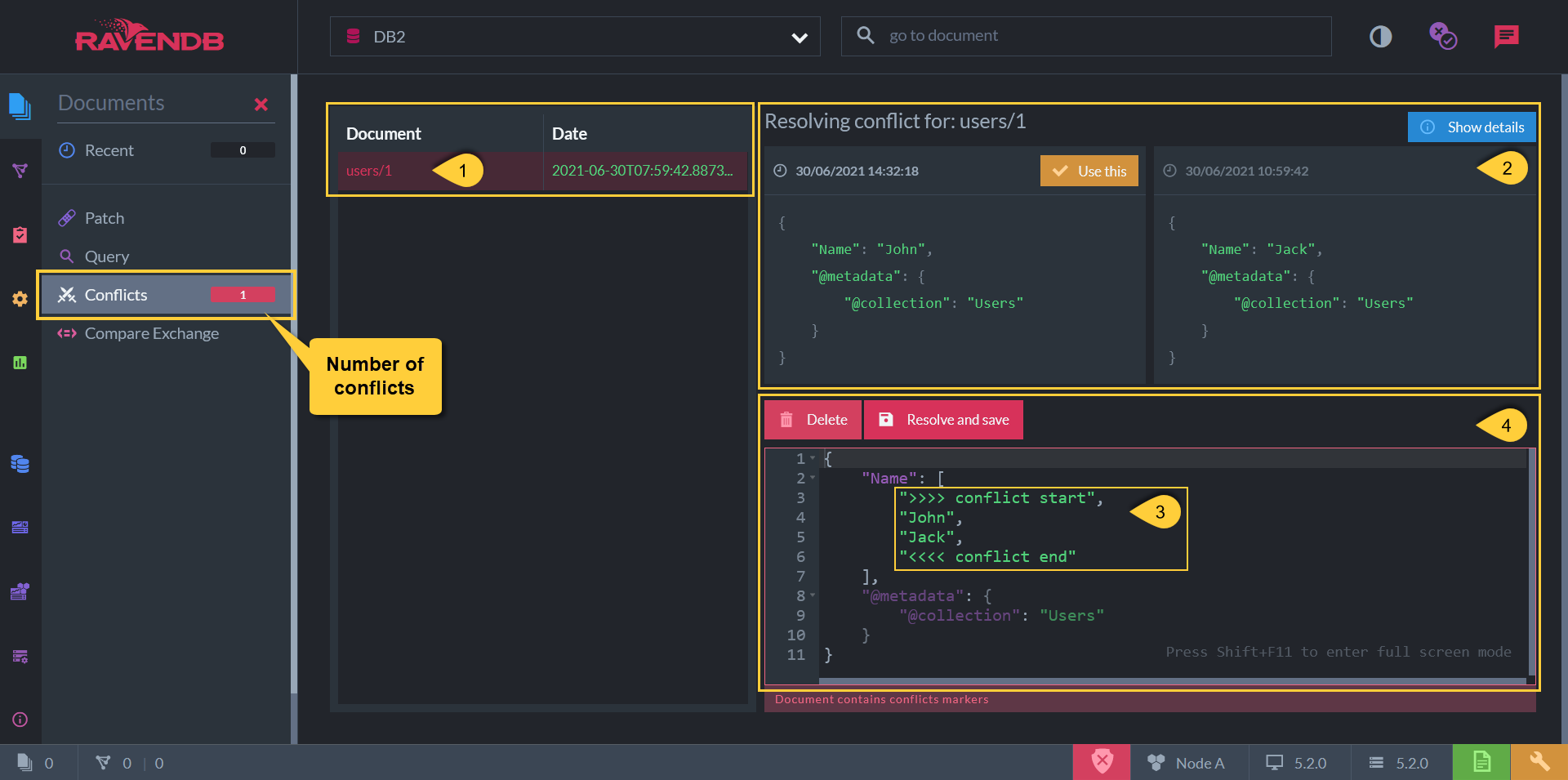
The conflicted document - Click to open the resolve editor
-
The conflicted document versions - Resolve to either version by clicking 'Use this'
-
The conflicted document body - Resolve by modifying the document body directly
-
Resolve Conflict By:
- Resolve and Save - Click to save the resolved document version, or -
- Delete - Click to delete this document