Create a Database: From Legacy Files
This database creation option is designed for importing database from data files from RavenDB v3.x.
1. Creating New Database From Legacy Files
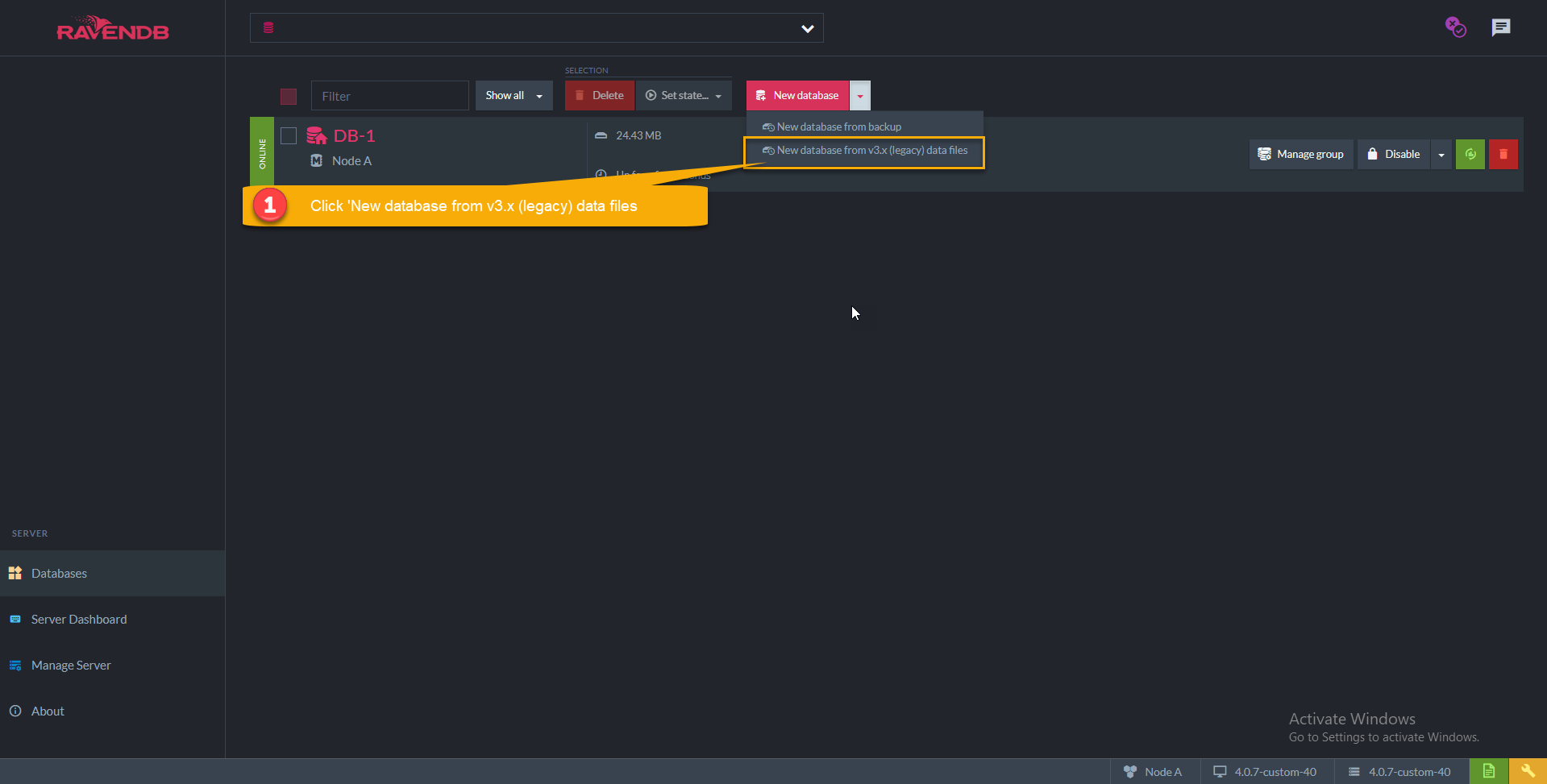
Open the down arrow and click New database from legacy files.
2. Data Source Configuration
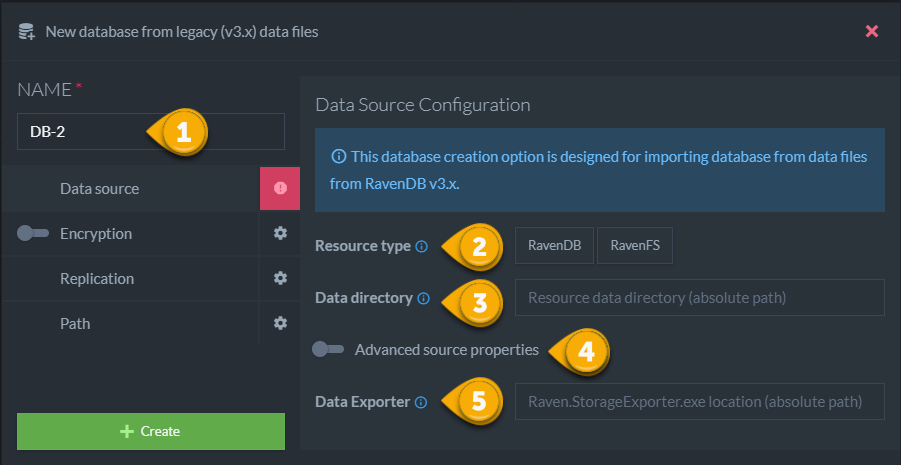
-
Resource type
- RavenFS files will be saved as documents with attachments in @files collection.
-
Data directory
- Absolute path to data directory.
- Depending on used storage in 3.x version, this folder should contain the file:
- Esent: Data / Data.ravenfs
- Voron: Raven.voron
-
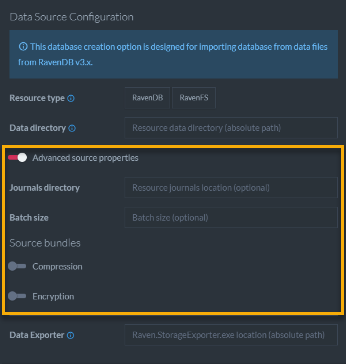
Advanced source properties
-
Journals directory: Use if custom path to journals / transaction logs was specified (value of 'Raven/TransactionJournalsPath' or 'Raven/Esent/LogsPath' 3.x setting)
-
Batch size: Size of documents / files batch when exporting from 3.x data (default: 1024)
-
Source bundles:
-
Compression: needs to be enabled if compression bundle was turned on
-
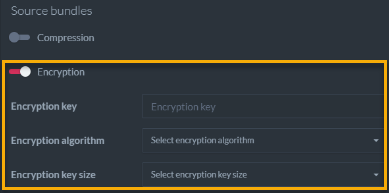
Encryption:
You need to insert values of the following settings from 3.x resource:
-
Encryption key : 'Raven/Encryption/Key'
-
Encryption algorithm : 'Raven/Encryption/Algorithm'
-
Encryption key size : 'Raven/Encryption/KeyBitsPreference'
-
-
-
-
Data Exporter
- RavenDB 3.5 tool that can be found on ravendb.net as a part of the tools package.
Note: The legacy database / file system will be migrated only to the current node, this database can be added to other nodes using the 'Manage group' button. Learn more about Manage group in : Manage group