Setup Wizard Overview
-
The Setup Wizard offers a fast, guided process to configure and initialize a RavenDB server or cluster,
including network, licensing, and security options. -
If you prefer to configure RavenDB manually, see: Manual setup.
-
In this article:
How to run the Setup Wizard
Download the RavenDB server package from the official RavenDB downloads page.
Extract the downloaded archive into a permanent folder on each machine that will host a RavenDB server instance.
Each extracted folder represents a potential cluster node.
Then:
- Open a command prompt or terminal on the machine where you want to run the Setup Wizard.
- Navigate to the extracted
Serverfolder. - Run the appropriate script:
- Windows
- Linux
.\run.ps1
./run.sh
When started for the first time, the server opens a browser window with the Setup Wizard.
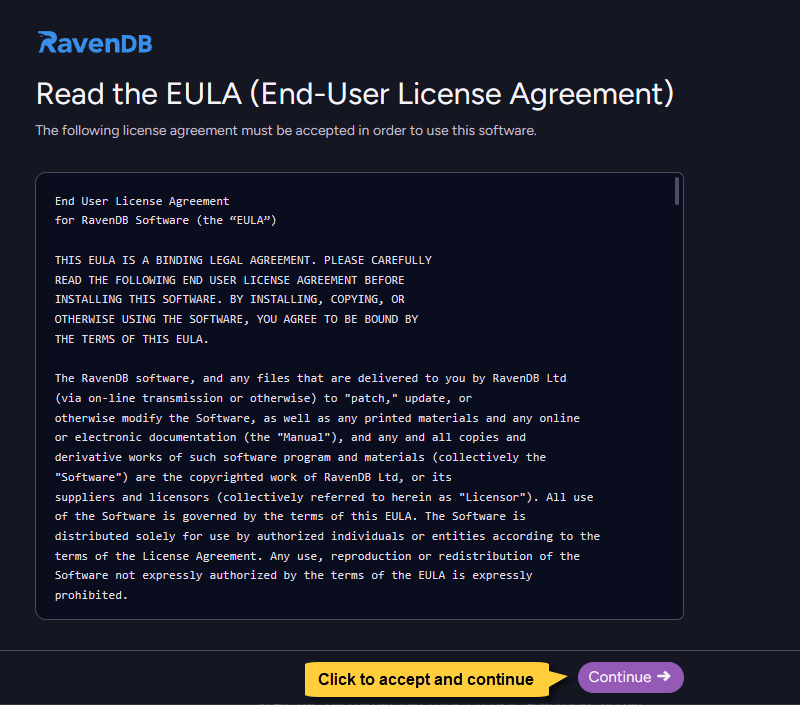
The first screen prompts you to accept the license agreement (EULA).
License agreement (EULA)
You must review and accept the End-User License Agreement (EULA) to proceed with the installation.
Guided Setup Flow
After accepting the EULA, the wizard starts a guided configuration flow.
The next screen is Choose setup method, where you select your setup path:
set up a new cluster, create a package for external setup, or use an existing setup package.
Each step of the wizard is documented in its own article to help you through specific configuration choices.
RavenDB settings files
settings.default.json
When you extract the RavenDB server package, the extracted Server folder includes a settings.default.json file.
This file contains a minimal configuration that causes RavenDB to start the Setup Wizard on first run.
{
    "ServerUrl": "http://127.0.0.1:0",
    "Setup.Mode": "Initial",
    "DataDir": "RavenData"
}
-
"ServerUrl": "http://127.0.0.1:0"
The Setup Wizard runs on localhost and uses a random available port. -
"Setup.Mode": "Initial"
The Initial value causes RavenDB to start the Setup Wizard instead of running as a regular server. -
"DataDir": "RavenData"
By default, your RavenDB data (databases, documents, and indexes) is stored in theRavenDatadirectory under the extractedServerfolder. You can customize this location later in the wizard flow in the Additional settings step.
settings.json
During setup, RavenDB creates a settings.json file in the same Server folder.
This file contains the configuration you selected during the wizard (including paths, security settings, and other options).
After setup is complete, you can still add additional server configuration keys to this file as needed.
For more details, see the settings.json section
in the Configuration overview article.
On subsequent runs, the server reads this settings.json file and starts as a regular RavenDB server using that configuration, rather than starting the Setup Wizard again.
settings.json.bak
During setup, if a settings.json file already exists, its content is first saved to settings.json.bak as a backup before being overwritten.
On a fresh install, this backup usually contains the same content as settings.default.json, because that template is used to create the initial settings.json file.
RavenDB does not read settings.json.bak at runtime; it is kept only so you can inspect or manually restore the previous configuration if needed.