SSO: Overview
-
RavenDB SSO lets users access a cluster using their existing identity provider - GitHub, Google, Microsoft/Entra ID, or Windows/Kerberos - instead of distributing X.509 client certificates per user.
-
A dedicated SSO application (an authenticating reverse proxy) handles authentication, sitting in front of one or more RavenDB clusters.
-
RavenDB itself only needs to know which SSO servers it trusts and how to map an SSO identity to a security clearance and database permissions.
-
In this article:
Setting up SSO
Setting up SSO takes three one-time steps:
- Deploy the SSO application in front of your cluster.
See Deploying the SSO application and its configuration reference. - Register the SSO server certificate with your RavenDB cluster, as a Cluster Admin.
See Register an SSO server certificate. - Create an SSO user entry for each user or group, as an Operator or higher.
See Register an SSO user entry.
Once the application, certificate, and user entries are in place, users sign in at the SSO URL
and RavenDB matches each SSO identity to its user entry.
See Authentication flow for what happens on each sign-in.
Components
An SSO setup has three components:
| Component | Role |
|---|---|
| SSO application | Nginx + .NET 10 sidecar packaged as ravendb/sso. Terminates TLS, runs OAuth2 / Kerberos, issues a per-user ECDSA client certificate, and proxies to RavenDB over mTLS. |
| oauth2-proxy | Bundled inside the SSO image. Handles the OAuth2 dance for GitHub, Google, and Microsoft. |
| RavenDB cluster | Trusts the SSO server's certificate and resolves the SSO identity (embedded in the per-user cert) to a registered SSO user entry. |
Authentication flow
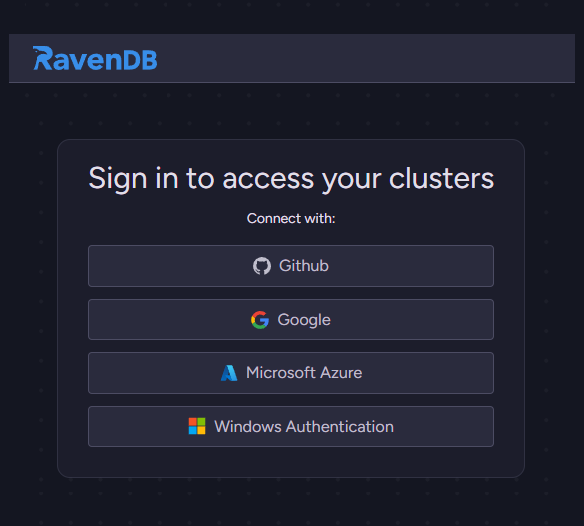
Once SSO is set up, every sign-in runs through these steps automatically:
- The browser hits the SSO URL - for example
https://my-cluster.sso.example.com/studio/. - Nginx checks for a valid JWT cookie. If none is present, it redirects to upstream auth:
/auth- Kerberos/AD (auth_gss), or/oauth-oauth2-proxyfor GitHub, Google, or Microsoft.
- After upstream auth succeeds, Nginx forwards the authenticated username to the .NET sidecar at
/authvia theX-Auth-Userheader. - The sidecar generates a unique ECDSA client certificate for the user (cached by thumbprint) and issues a JWT cookie containing the certificate and key paths.
- Nginx validates the JWT and uses the referenced certificate to open an mTLS connection to RavenDB.
- RavenDB sees a client certificate whose subject carries an SSO identity extension
(
Provider,Domain,Identifier-Domainis only populated whenProvider = Windows, where it carries the Kerberos realm). RavenDB looks up a matching SSO user entry in the cluster and applies the entry's security clearance and database permissions.
Trust model
To accept users who sign in through SSO, the cluster keeps two records:
- The certificate of an SSO server the cluster trusts.
- An SSO user entry that grants RavenDB permissions to an SSO identity.
The cluster stores both records as certificates, told apart by their Usage:
Usage = SsoServer
One per trusted SSO server.Usage = SsoClient
An SSO user entry is the SSO counterpart to a client certificate's permissions: it names one or more SSO identities and the RavenDB permissions those identities receive.
The entry also names the SSO servers that may present those identities: specific servers, by their public-key pinning hash, or any registered SSO server (AllowAnySsoServer).
See Register an SSO user entry.
Licensing
SSO is a commercial feature. Registering an SSO server certificate requires Cluster Admin clearance; creating SSO user entries requires Operator clearance or higher.
Security considerations
When setting up SSO, weigh these points:
- Two-factor authentication does not cover SSO users.
Because RavenDB cannot enforce a second factor for an SSO sign-in, require multi-factor authentication through your identity provider.
See Register an SSO user entry. - Enable
AllowAnySsoServeronly when you mean it.
With this setting on, RavenDB accepts a user's identity from any registered SSO server; keep it off to limit the user to the servers you list.
See Trust model. - Renew the SSO server certificate with its existing key.
RavenDB trusts the certificate by its key, so a renewal that changes the key can lock out SSO users until you re-register the new certificate.
See Renewing the SSO server certificate. - Protect the SSO application's secrets and file paths.
Keep the secret that protects its session cookies private, and keep its certificate and key files within the application's own directories.
See SSO application configuration.
Auditing and monitoring
You can review SSO activity on both the RavenDB cluster and the SSO application:
Auditing
RavenDB's audit log records each
connection to the cluster, including the certificate used and the access granted.
An SSO user connects with the per-user certificate that the SSO application issued, so the
audit log records the login under the user's SSO identity, alongside your regular client
connections.
Monitoring
You can use Traffic Watch to see who is really behind a request that the SSO application
proxied to the server.
Traffic Watch is a Studio view, opened from Manage Server > Traffic Watch, that lists the
HTTP requests reaching a server and lets you follow them live and trace a single request.
The Traffic Watch view shows the SSO user behind a proxied request (the identity carried in
the per-user certificate), along with the real client IP (listed separately from the SSO
application's own proxy IP).
SSO application logs
The SSO application keeps its own audit log as well, recording login successes and failures,
access denials, and logouts, each with the user and client IP.
See the SSO application's logs.