Replace license
-
You can replace an existing license with a new one using configuration keys or Studio.
-
A new license will be sent to the email address you provided while obtaining it.
-
To upgrade RavenDB from a version older than
6.xto version6.xand above, you must upgrade your current license before applying it to your new RavenDB.
Learn below how to do this. -
In this article:
Replace your license using a configuration key
If you activated your license using a configuration key, you may have used either the License or the License.Path key. Replace the value of the key you used with the new license information:
-
License
Allows you to provide the license text directly, as the key's value.
e.g.,"License": "{ replace with the full text of your new license }" -
License.Path
Allows you to provide a path to a file that contains your new license.
e.g.,"License.Path": "D:\\RavenDB\\Server\\license.json" -
The configuration keys can be set in the
settings.jsonfile or as environment variables.
Learn more in the configuration overview page.
Replace your license via Studio
To replace your existing license with a new one, open the About view and click the Replace option:
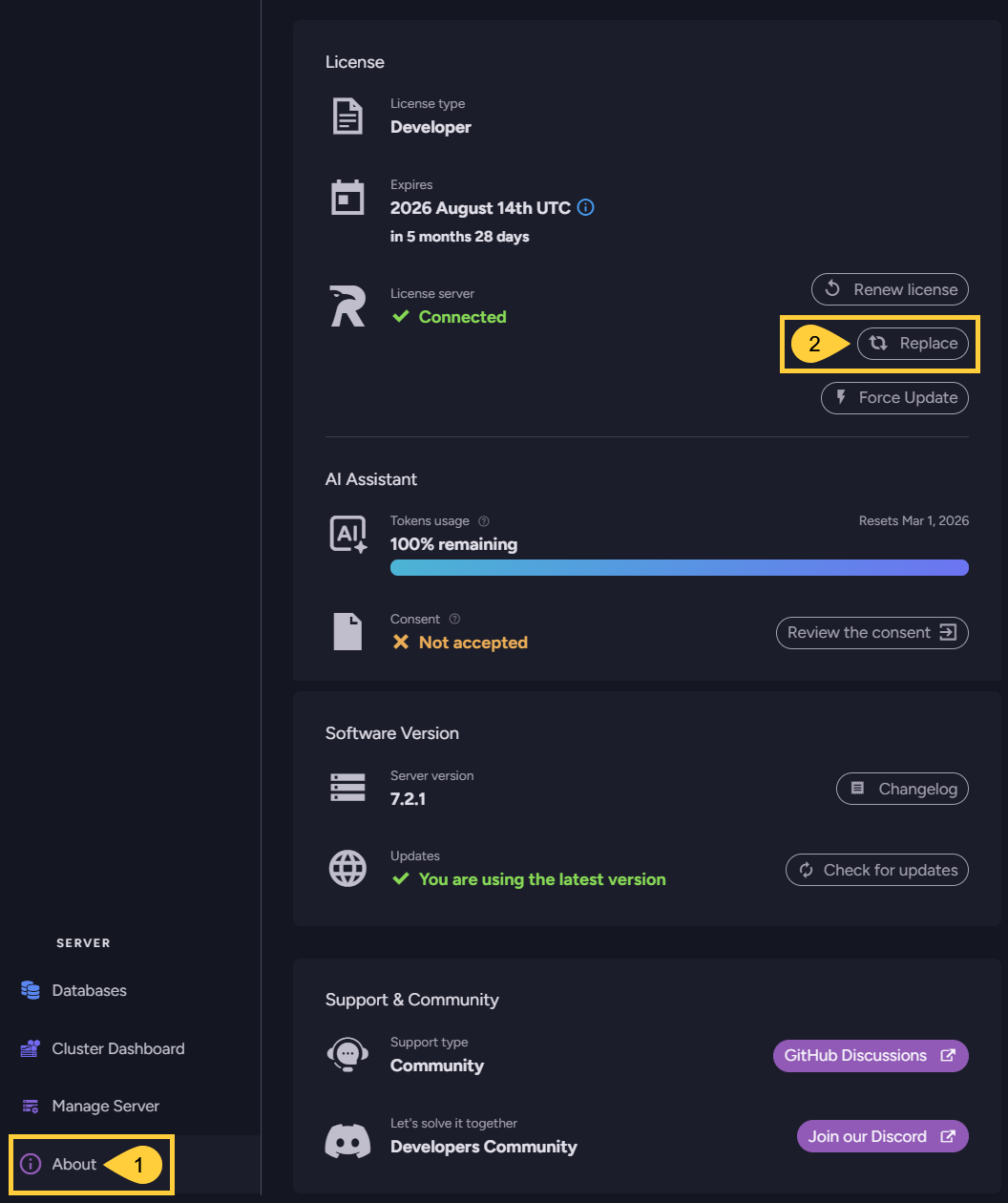
-
About
Click to open the About view. -
Replace
Click to paste and submit your new license.
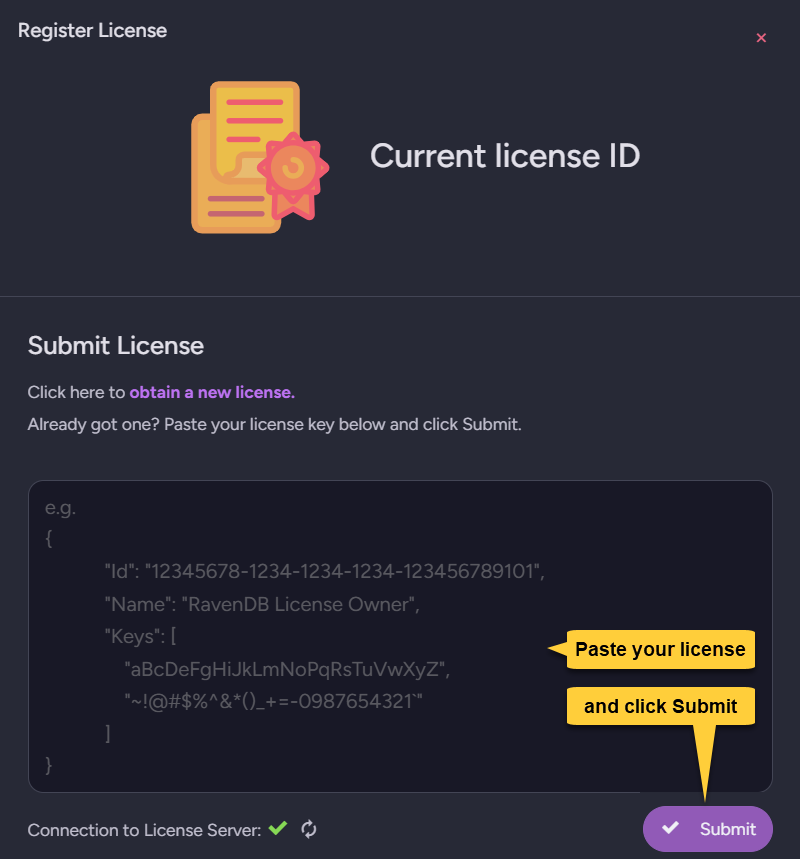
Upgrade a license older than 6.x
If you have a license for a RavenDB version lower than 6.x, you must upgrade the license before applying it to RavenDB 6.x or above.
You can upgrade your license in a few seconds using our online License upgrade tool.
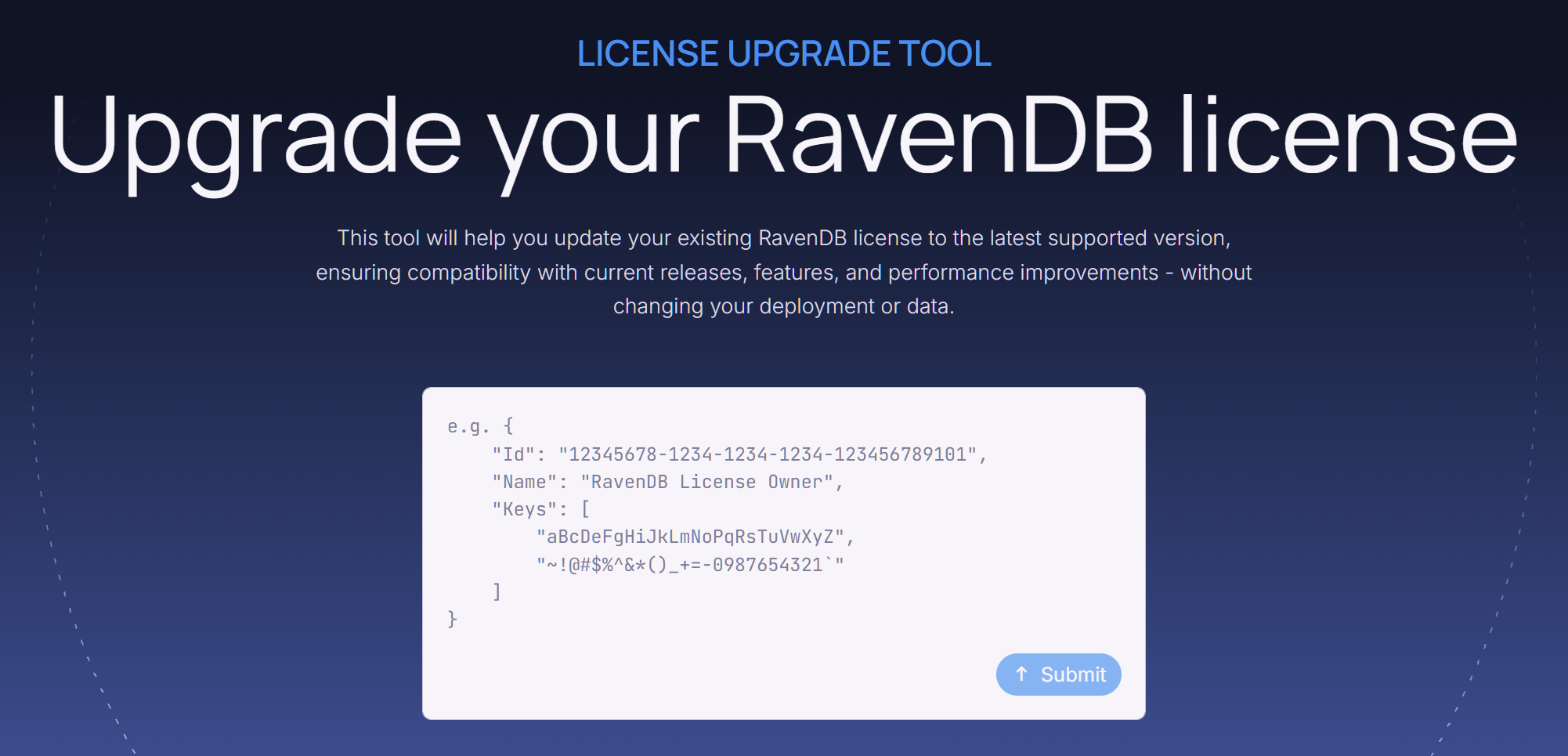
A new license will be sent to the email address you registered your current license with.
Replace your current license with the new one.