Renew license
-
When your license expires, managing RavenDB via Studio is blocked.
Client API operations and other RavenDB features will continue to work. However, any usage of an expired RavenDB license is outside the license agreement and doesn't comply with the EULA terms. -
Commercial licenses (Professional, Enterprise, RavenDB AI, and ISV) are automatically renewed as long as your server has an active connection to RavenDB's License server and automatic updates are enabled.
If automatic renewal is unavailable, the licenses can be renewed manually. -
Non-commercial licenses (Developer and Community) can be renewed via Studio.
-
In this article:
Renew commercial licenses
This section relates to all commercial licenses: Professional, Enterprise, RavenDB AI, and all ISV licenses.
Automatic renewal:
Commercial licenses will be automatically renewed if:
- Your server has an active connection to RavenDB's License server at
api.ravendb.net, - And the DisableAutoUpdate configuration key is set to false.
Manual renewal:
If the connection to RavenDB's License server at api.ravendb.net is unavailable, contact customer service to extend your license.
A renewal email will be sent to you with a new license that keeps your existing license ID.
Copy the renewed license to the clipboard and register it using either Studio or a configuration key, as you prefer.
-
To register your new license using Studio:
Follow the procedure described here. -
To register your new license using a configuration key:
- Set the DisableAutoUpdateFromApi configuration key to true.
- Activate the new license using a configuration key as described here.
- Restart your server to make it read the set configuration key.
Renew Developer & Community licenses
Developer and Community licenses can be renewed from Studio using a Renew button.
- The Renew button is available only for these license types.
- Renewal can be initiated when less than 30 days remain until expiration.
Servers using a Community license are required to run the latest major version.
e.g., if RavenDB 7.0 is released and your server runs RavenDB 6.2 with a Community license, you will be required to upgrade RavenDB to version 7.0.
Running a major version older than the latest with a Community license, will block your server's access to Studio.
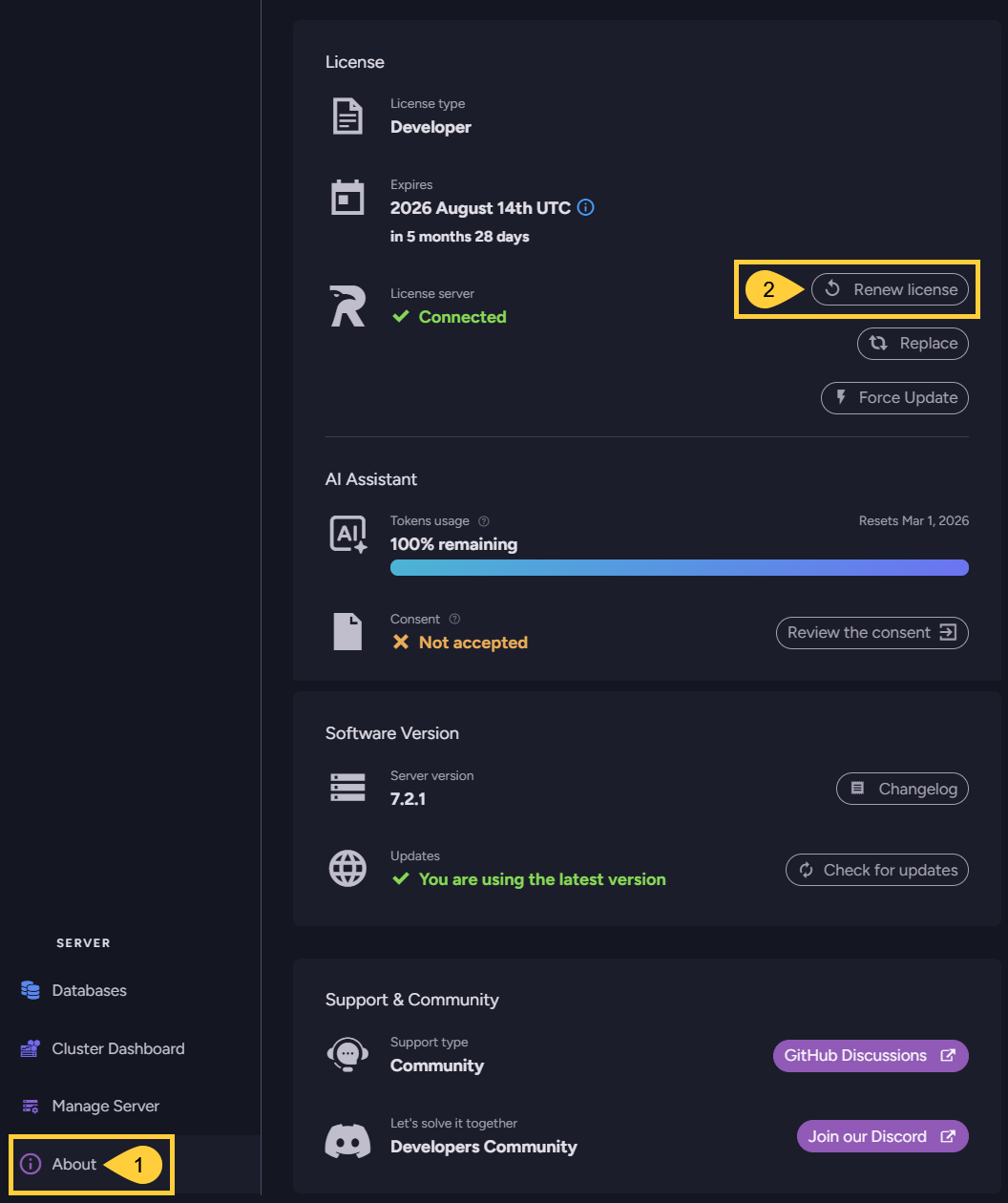
To renew your license, open the About view and click the Renew license option:
-
About
Click to open the About view. -
Renew license
Click to request and register a license.
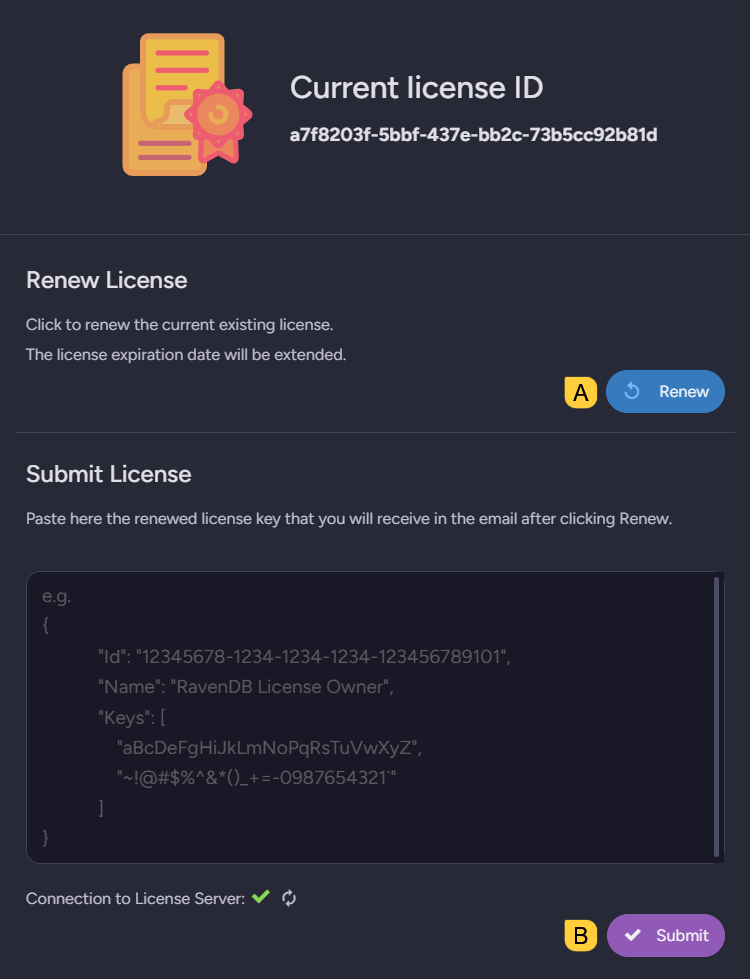
A. Renew
Click to request a new license with the same license ID as your current license.
B. Submit
When the renewed license arrives via email, paste and submit it.