License under Docker
-
This page explains how to pass a license to a RavenDB server that runs in a Docker container or under Linux or Unix.
-
A license can be passed to RavenDB in one of the following ways:
- A path to the license file can be passed to the server via CLI.
- Either a path to the license file or the full license text can be passed to the server in the
settings.jsonconfiguration file. - A
RAVEN_Licenseenvironment variable can be set.
-
In this article:
Prerequisites
- Docker images of RavenDB versions up to
5.xrequire no special permissions since they are installed and handled by therootuser, that is inherently allowed to access any RavenDB property, including its license. - Docker images of RavenDB
6.0and later are executed by a regular user for security reasons, requiring that this user would be explicitly permitted to access RavenDB properties, including any mounted license folder. - Read more about this in the dedicated migration page.
Licensing a RavenDB docker image
Find below a few methods to license a RavenDB server that runs in a Docker container.
Passing a Path to the License File via CLI
Store the license in a folder that can be accessed by the host machine that runs Docker.
RavenDB, within Docker, will have no direct access to the license.
Allow RavenDB to access the license by mounting the license folder when you run RavenDB
using Docker's CLI.
-
From Docker's CLI, use this syntax:
docker run -v <host_dir>:<container_dir> -e <env.var>The
-voption points at the host directory.
The-eoption sets the DockerRAVEN_License_Pathenvironment variable with the license. -
Example:
docker run -v "C:\\docker-license\\config:/ravendb/license" -e RAVEN_License_Path=/ravendb/license/license.json
When RavenDB is executed this way, the license folder will be mounted and the environment variable set with the license.
RavenDB will fetch the license from the environment variable the first time it accesses a database.
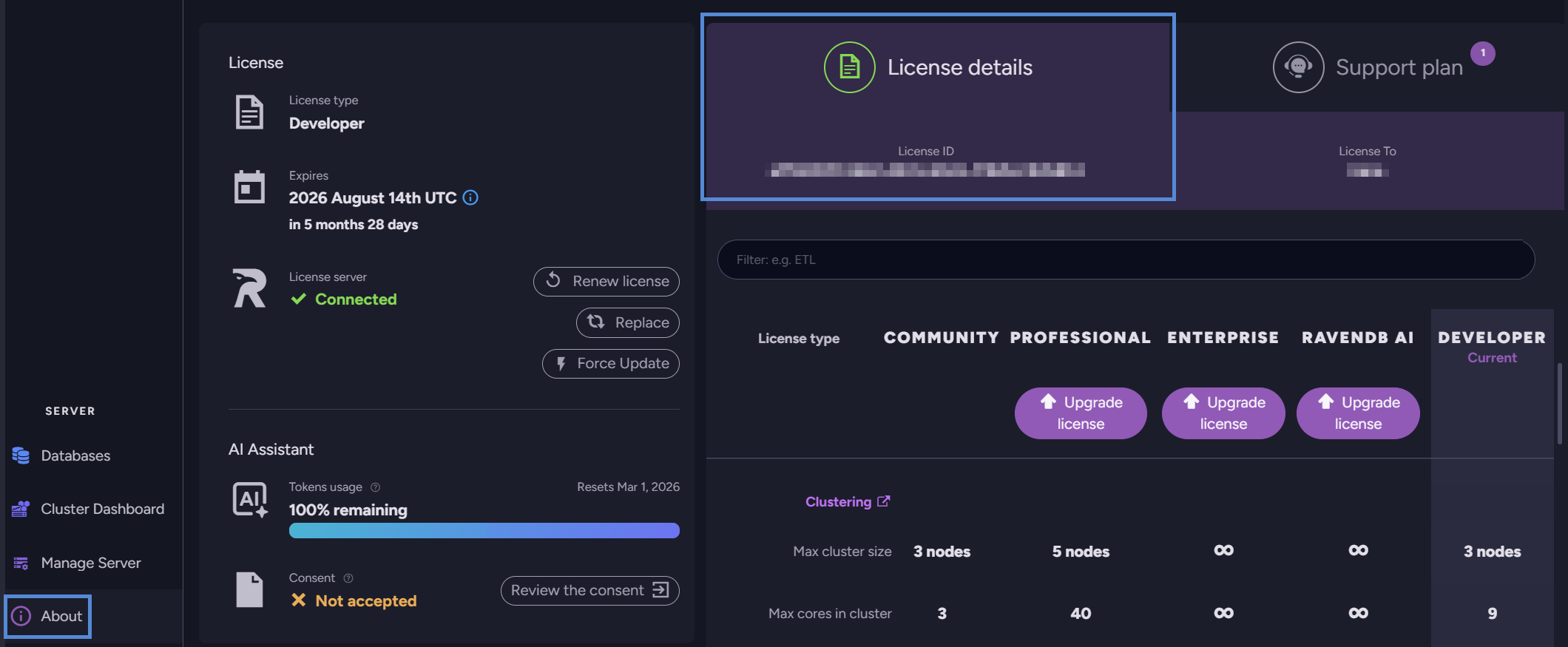
To verify that the server is licensed, run it as shown above, create a new database or access an existing one, and then open the About view.
Passing a License via settings.json
Provide the license as a property of the settings.json configuration file in one of the following ways.
- Add the full license text to
settings.jsonas the value of the "License" key, as explained here.
Mountsettings.jsonas explained above, using the location ofsettings.jsoninstead of the location of a license file. - Or, add the license path to
settings.jsonas the value of the “License.Path” key and mount the license directory.
Setting a RAVEN_License Environment Variable
The full license text can also be added as a docker RAVEN_License environment variable when the server is executed.
- Special characters must be escaped.
- Each line of the license key is provided as a single string.
- Example:
docker run -e 'RAVEN_License={\"Id\": \"4b167357-42f5-48a8-bef5-29ca557ef0ce\",\"Name\": \"asdf\", \"Keys\": [\"6aoht+NE3zvJidqIspOIa/5N1\",\"320e9G95NFsNwbKkNfl3R/qO9\",\"IHuEgp9OHVjxwV9ekur/L/FiF\",\"RCfFywsNR0O2ghqZo6N0r4onp\",\"fGNula2WJv0iz5Tq+xt99/A6t\",\"oHfaSXrNOdgilfCqLkoyFI9E8\",\"MHMmcIfBoQelf/qZKOpE5ABYE\",\"DNi4wBSYoSQMmKywtLL8wJzEy\",\"MzQVFjc4OTo7PD0+nwIfIJ8CI\",\"CCfAiEgnwIjIJ8CJCMfAiUgnw\",\"ImIJ8CJyCfAiggnwIpI12CKiC\",\"fAisgwvJsIJ8CLSCfAi4gnwIv\",\"IJ8CMCCfAzZAAUMkRAlio9g=\"]}'
Licensing RavenDB under Linux
To license RavenDB under Linux, pass a license file rather than a directory.
Example:
docker run -v "/home/ubuntu/ravendb-docker-license/license.json:/ravendb/license" -e RAVEN_License_Path=/ravendb/license