Force license update
-
RavenDB contacts the License server at
api.ravendb.netevery 24 hours (counted from server startup), to check if there are any updates in your current license that need to be applied.
This routine is implemented for all license types.The automatic update is applied provided that:
- There is an active connection to the License server,
- And the DisableAutoUpdate configuration option is set to false.
-
You can also force an immediate update via Studio, as described below, if changes were made to your current license and you want to apply them immediately.
This option, too, is only available if there is an active connection to the License server. -
In this article:
Force license update from Studio
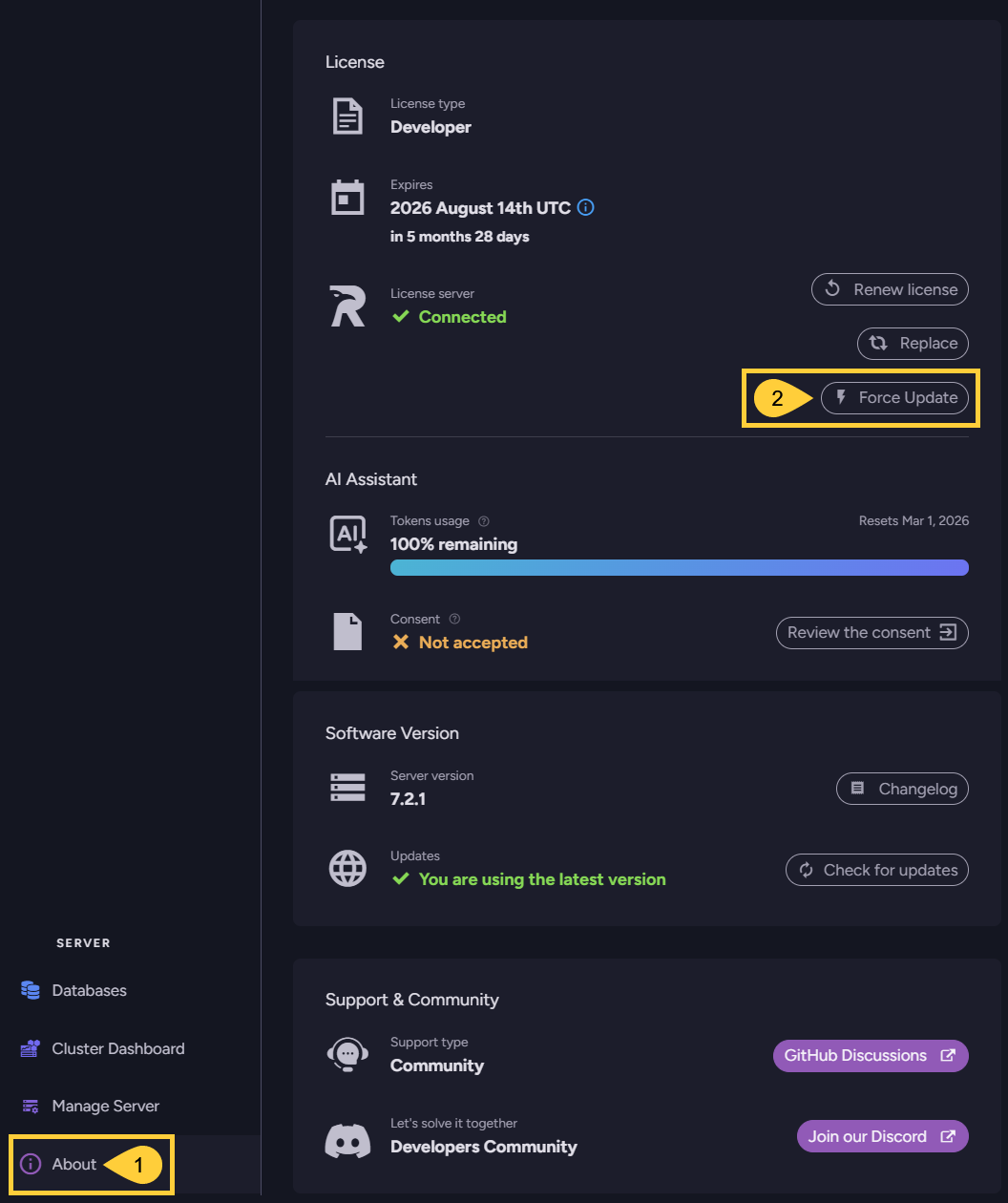
To force an immediate update of your license, open the About view and click the Force update option:
-
About
Click to open the About view. -
Force update
Click to force an immediate update of your current license.Set the DisableAutoUpdateFromApi configuration option to determine where the license is updated from:
- When true, the license is updated from the configuration key.
- When false, the license is updated from the License server, provided there is an active connection to it.