Document Extensions Overview
-
Document extensions are data entities associated with documents.
-
Document extensions are stored separately, so modifying an extension (e.g., a counter or time series entry)
does not modify the parent document. -
Creating or deleting an extension modifies the parent document's metadata.
This change may trigger indexing, ETL tasks, or other operations. -
On a sharded database, document extensions are stored in the same bucket as their parent document.
Learn more in Sharding: Document Extensions. -
In this article:
Document extensions
-
Counters
RavenDB’s distributed counters are numeric values attached to documents,
used to maintain and increment counts in the database, across all nodes in the cluster.
They are suitable for counting tasks in a distributed environment, such as tracking views, votes, or usage metrics. -
Attachments
Attachments are binary streams (e.g., videos, images, PDFs) that can be associated with an existing document. -
Time Series
Time series are sequences of timestamped values collected over time, stored consecutively,
and optimized for efficient, high-performance data handling across the cluster. -
Revisions
Revisions are snapshots of documents and their associated data,
allowing access to the document’s full history over time.
Document extensions in the Studio
Extensions flags
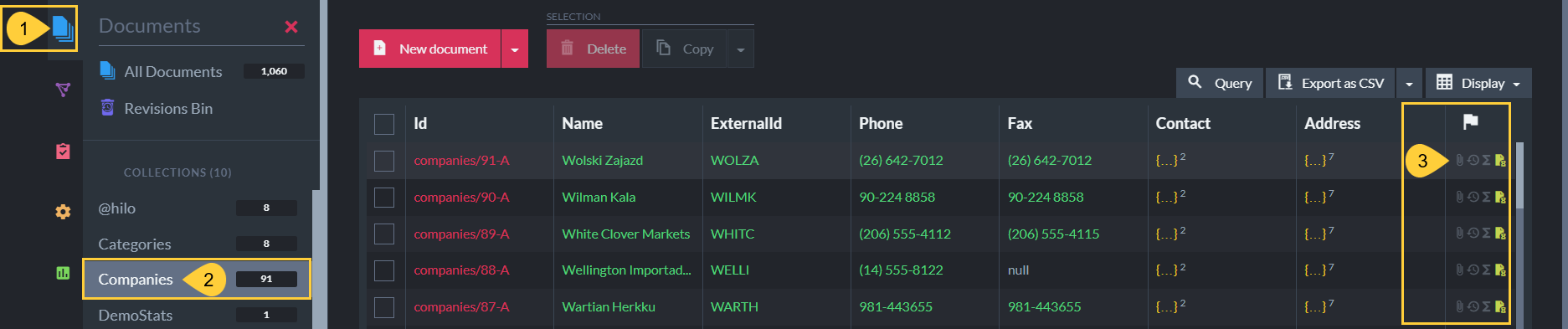
- Documents Tab
Open the Documents tab. - Collection
Select a collection. - Extensions flags
View which types of extensions are associated with the documents.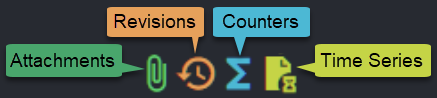
Extensions in the document view
Open a specific document to view and manage its extensions.
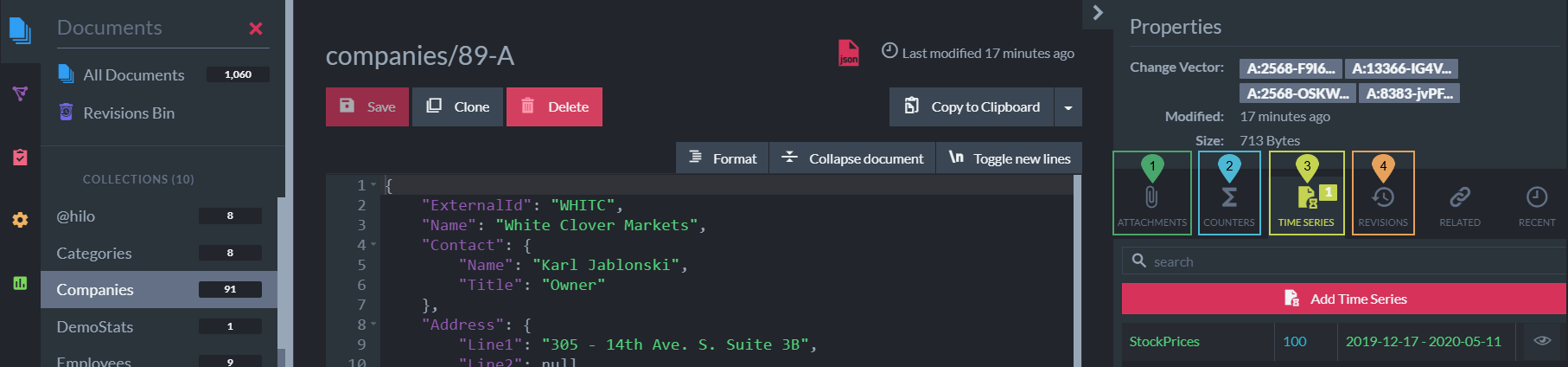
- Attachments
- Counters
- Time Series
- Revisions