Modify GenAI Task: Studio
Saved tasks are listed in the AI Tasks view.
Selecting a task from the list will take you to the task's Review task configuration page, which provides an overall view of the task configuration and allows you to review different sections, edit them, and save the modified configuration when you're done.
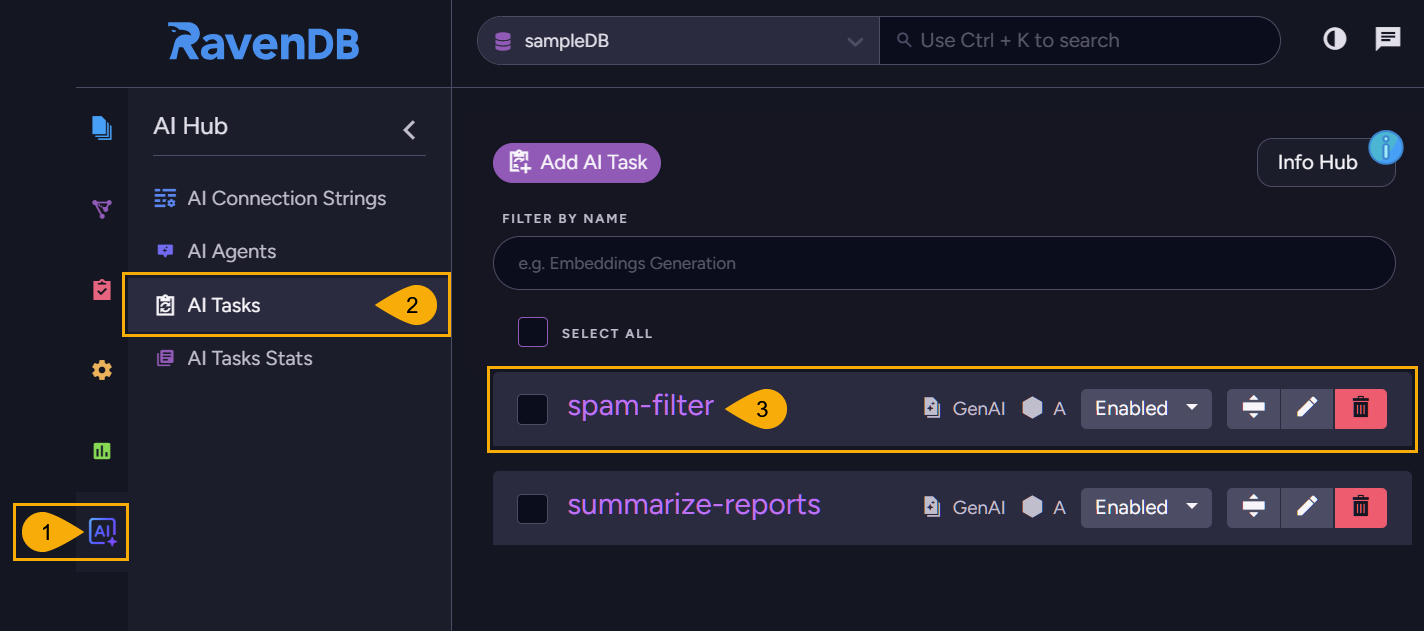
- AI Hub
Click to open the AI Hub view. - AI Tasks
Click to open the AI Tasks view. - Tasks list
Pick the task that you want to modify by clicking its name or edit (pencil) icon.
This will take you to the task's Review task configuration page.
Review and edit task configuration
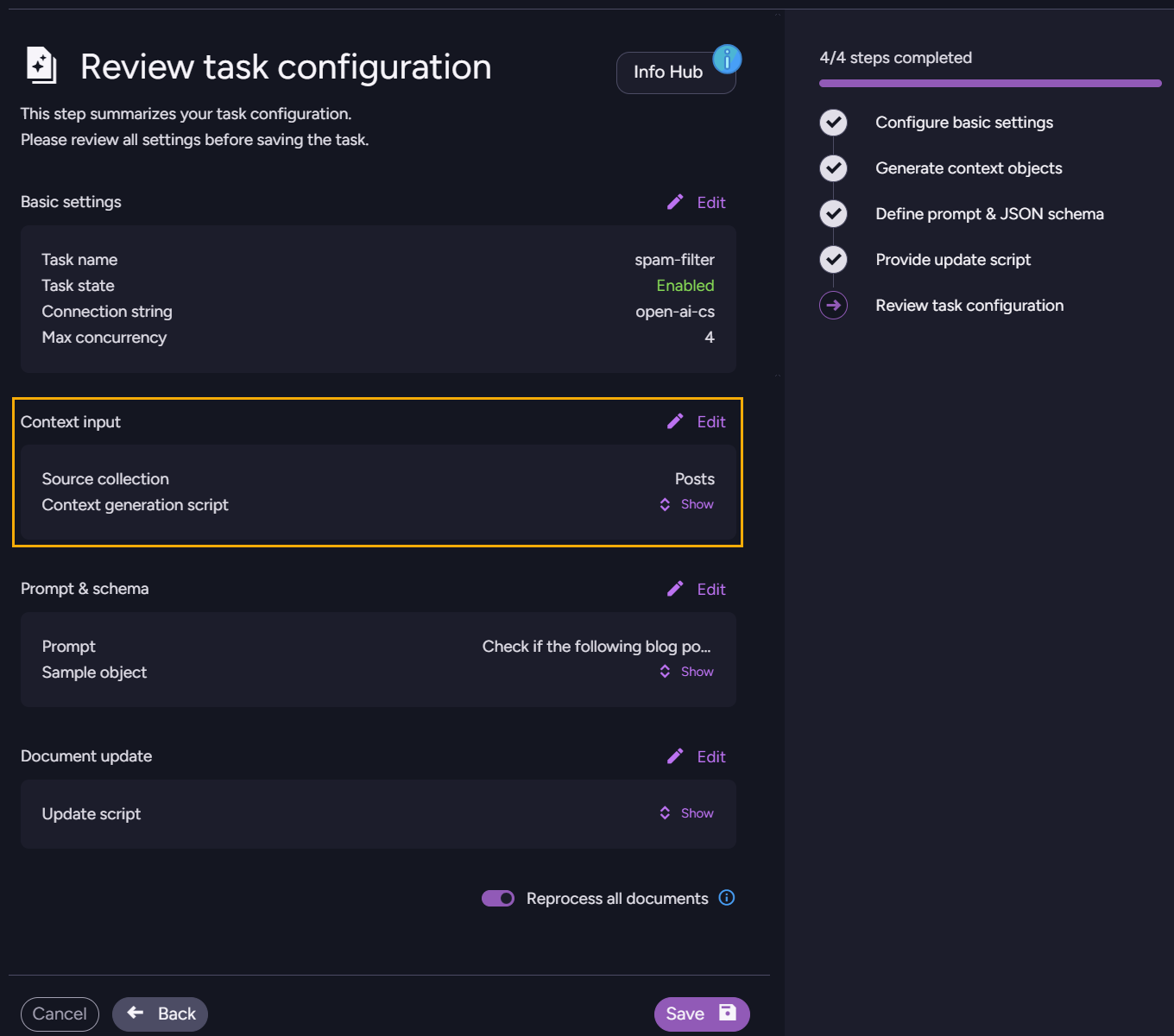
-
Use this view to review, edit, and save the task configuration.
-
Click Show to view the current settings of a configuration section,
or Edit to modify a configuration section using the same task creation wizard used to initially define the task.