TCP Compression
-
With TCP Compression enabled, internal cluster data transfers are compressed, including nodes' database replication and the data submitted by Data Subscriptions to their workers.
-
Especially on the cloud, the significant reduction in the amount of transferred data translates to a significant reduction of costs.
-
In this page:
TCP Compression
RavenDB offers a variety of compression tools, including the compression of stored documents and backups.
With the TCP compression feature enabled, data in transit is compressed as well.
-
RavenDB will compress data before replicating it from one cluster node to another.
Replication makes a large portion of a cluster's traffic, and compressing replicated data will minimize the traffic volume and expedite data delivery. -
Data Subscriptions will also transfer compressed data to their workers.
Data subscriptions are used to automate documents processing, and may transfer large quantities of documents on a regular basis. Compressing the data they submit can reduce the traffic volume and the costs of such automated routines considerably.
Compression Algorithm and Ratio
-
TCP Compression uses the Zstandard compression algorithm, continuously learning your data model to create dictionaries that represent the redundant structural data across transferred documents.
-
Compression ratio tends to ascend as the size of the transferred data grows, and may top 85% for big data transfers.
Enabling TCP Compression
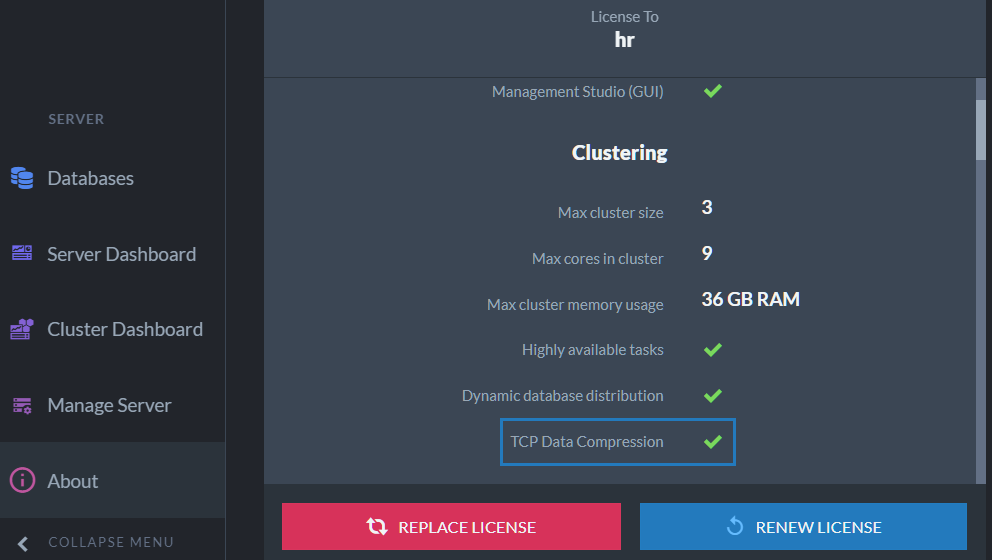
Your server's license type determines whether
TCP compression, among other features, is activated.
No additional configuration is needed to enable this feature.
Disabling TCP Compression
- TCP Compression can be disabled by a client, using the client API
DocumentStore
DocumentConventions.DisableTcpCompressionconvention.
using (var store = new DocumentStore())
{
  var DocumentConventions = new DocumentConventions
  {
      // Disable TCP Compression
      DisableTcpCompression = true
  };
}
- TCP Compression can also be disabled server-wide, using the
server Server.Tcp.Compression.Disable configuration.
Learn how to change database settings using Studio here.