PostgreSQL Protocol: Power BI
-
The Power BI Desktop and Online services can use RavenDB as a PostgreSQL server and retrieve data from it.
-
See below how to use Power BI Desktop to -
- Easily select RavenDB collections and retrieve chosen data.
- Query RavenDB using RQL.
-
To use RavenDB with Power BI, your license must explicitly enable Power BI Support.
-
In this page:
Using RavenDB From Power BI Desktop
Connect to RavenDB

-
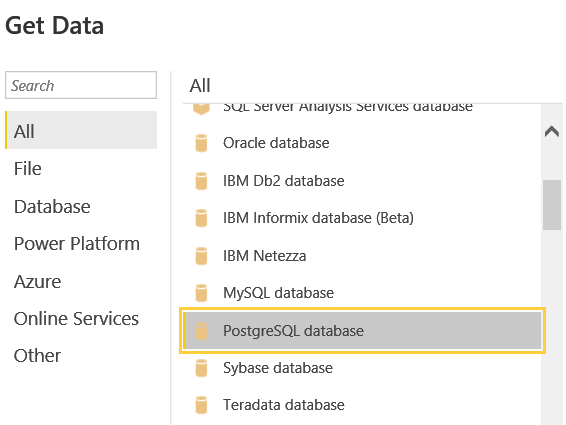
Click "Get Data" from Power BI Desktop's startup wizard or menu option.
-
Select the PostgreSQL database option and click Connect.
-
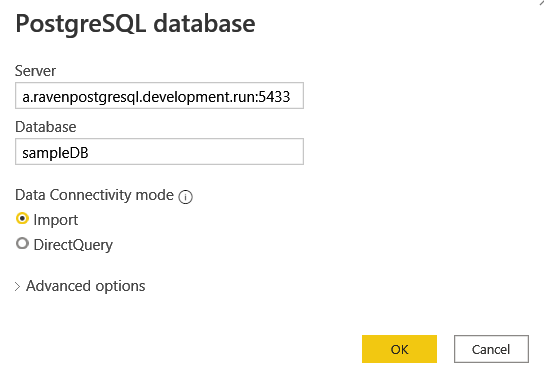
Server
Enter RavenDB's URL and PostgreSQL port number.- Enter the URL and port number in the form: Hostname:Port
E.g. -a.ravenpostgresql.development.run:5433 - Do not include the "https://" prefix in the URL.
- RavenDB's PostgreSQL port number is by default 5433, and is configurable.
- Enter the URL and port number in the form: Hostname:Port
-
Database
Enter the name of the RavenDB database you want to retrieve data from. -
Data Connectivity mode
Select the Import data connectivity mode.
-
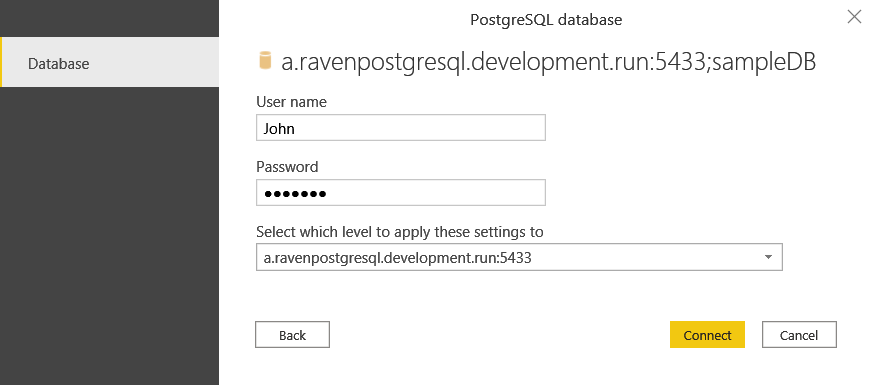
Provide the credentials (user name & password) required by RavenDB to authenticate your Power BI client, and click Connect.
Retrieve Collections Data
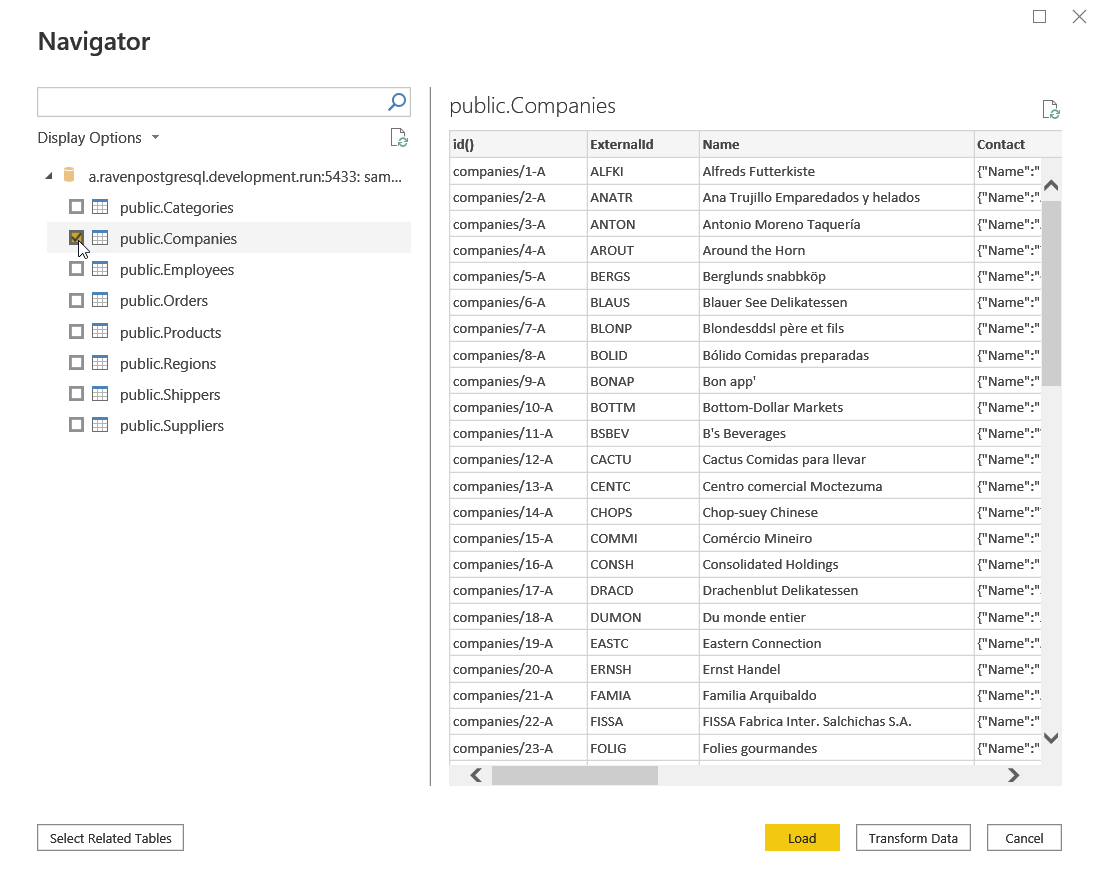
The database's collections & documents will show once RavenDB is connected.
-
Select the collection/s whose data you want to retrieve, and click Load or Transform.
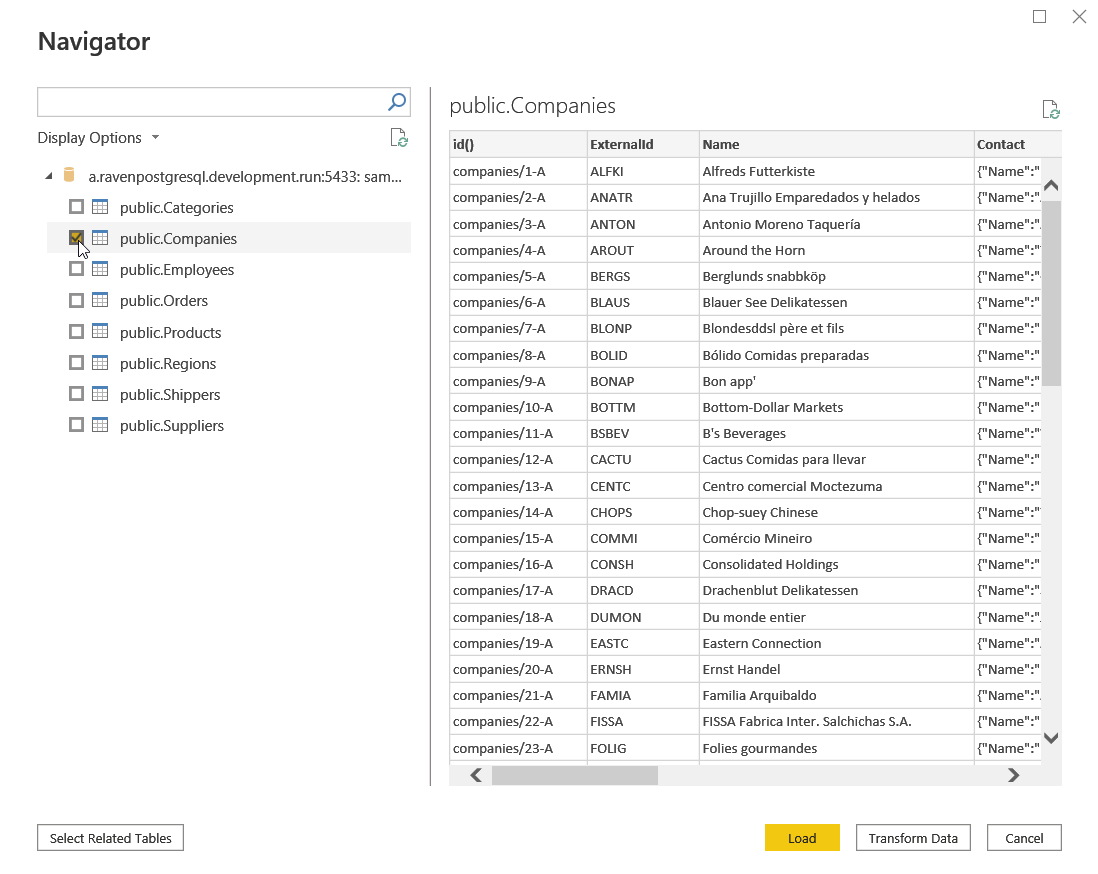
-
Your data is loaded, and you can play with it as you wish.
Query RavenDB Using RQL
Instead of loading collections in their entirety, you can run RQL queries to import into Power BI just the data you're looking for.
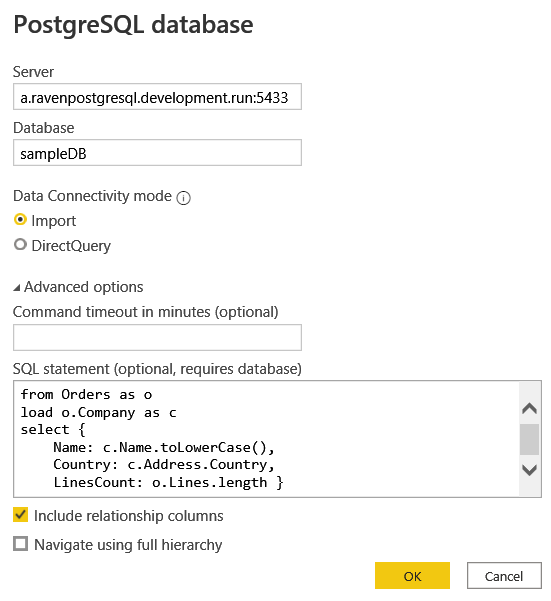
-
Server
Enter RavenDB's URL and PostgreSQL port number.- Enter the URL and port number in the form: URL:Port
E.g. -a.ravenpostgresql.development.run:5433 - Do not include the "https://" prefix in the URL.
- RavenDB's PostgreSQL port number is by default 5433, and is configurable.
- Enter the URL and port number in the form: URL:Port
-
Database
Enter the name of the RavenDB database you want to retrieve data from. -
Data Connectivity mode
Select the Import data connectivity mode. -
Advanced options
-
Open Advanced options.
-
Enter your RQL query into the SQL Statement field.
- The PostgreSQL library
that Power BI uses to transfer your query to RavenDB, interprets the
;symbol as an instruction to split the query.
To avoid splitting the query, please avoid using this symbol in it. - RavenDB queries can include JavaScript code, where
;is normally a valid operator.
However, to avoid splitting your query, please avoid using the;operator in JavaScript code as well.
Using;is optional in JavaScript, and omitting it will have no effect on your code. - RavenDB will throw the following exception if an erroneous query is likely
to have been split:
Unhandled query (Are you using ; in your query? That is likely causing the Postgres client to split the query and results in partial queries)
- Click OK.
- The PostgreSQL library
that Power BI uses to transfer your query to RavenDB, interprets the
-
-
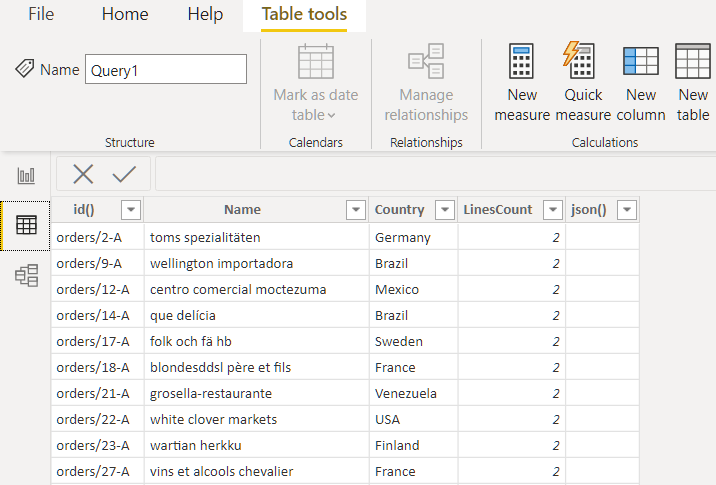
Only the fields resulting from the RQL query will be imported to Power BI.
-
One notable field is the rightmost
json()field; we placed it there for irregular data items, should there be ones, that don't fit into one of the otherwise regular JSON arrays.