Client Configuration (server-wide)
-
The client configuration can be set for ALL databases in the cluster.
You can do this using:- The Studio - as described in this article
- The Client API - see Put client configuration operation
-
When set from the Studio, the client configuration is stored directly on the RavenDB server
and applies to any client that connects to any database in the cluster. -
These settings override the client's own configuration,
which can be set in your application code when initializing the DocumentStore.
This enables administrators to dynamically control client behavior, even after the client has started running.
For example, adjusting load balancing behavior on the fly in response to changing system demands. -
To override these global values and define a separate client configuration for a specific database,
see: Client configuration (for database) -
In this article:
Set the client configuration (server-wide)
-
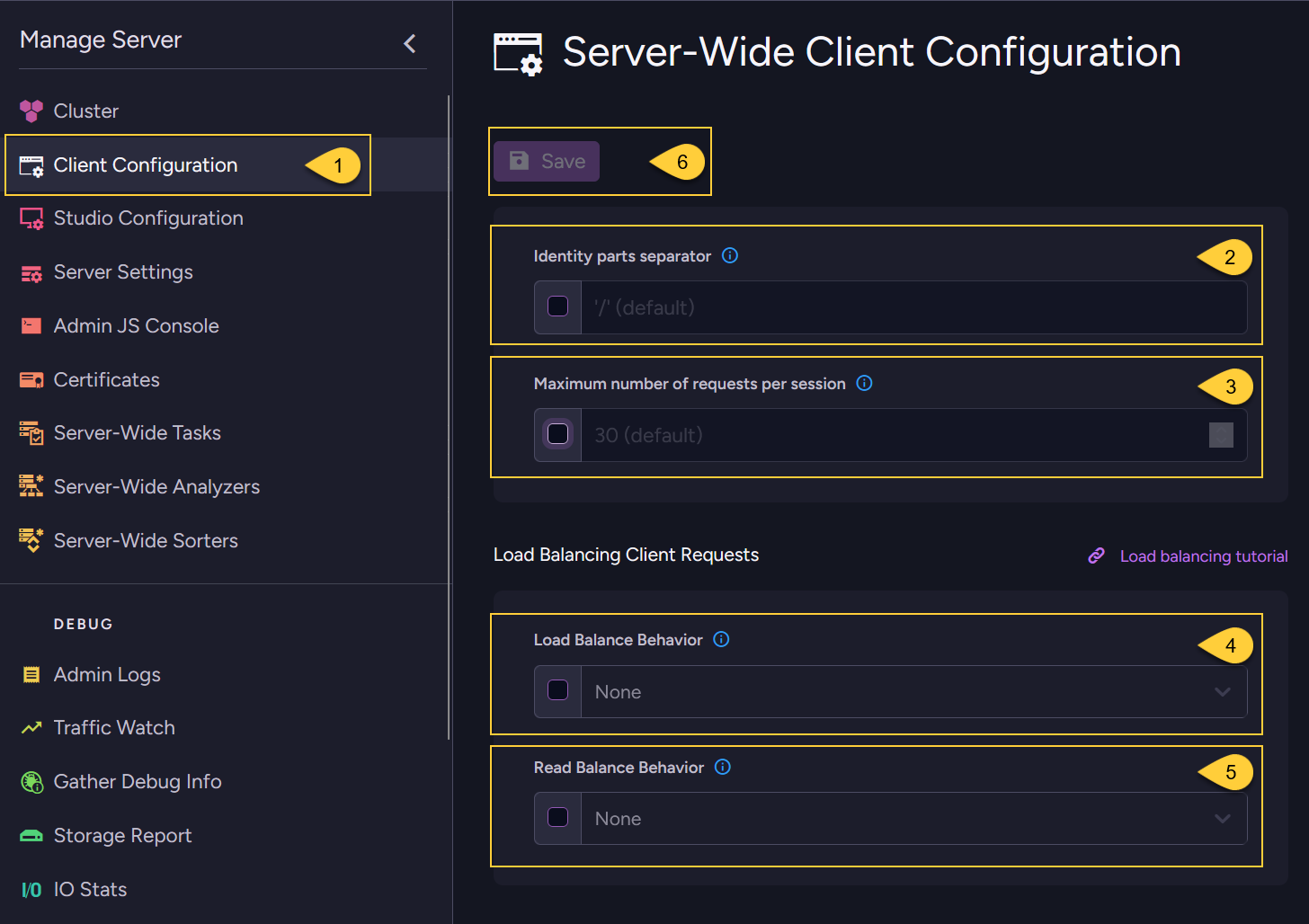
Go to Manage Server > Client Configuration
-
Identity parts separator
Set the separator character used in generated document IDs of the following types:- Identity IDs
The server will use this character when generating identity IDs. - HiLo IDs
The client will include this character when generating HiLo IDs. - Server-side IDs
To trigger server-side ID generation, the ID you provide must end with this character.
The server will include this character in the generated server-side ID.
You can use any single character except
|(pipe).
Default value:/.
To set this character from the Client API, see Customizing the separator character. - Identity IDs
-
Maximum number of requests per session
Set this number to restrict the number of requests (Reads & Writes) allowed per session when using the Client API.
Default value:30 -
Load balance behavior
Set the Load balance method for Read & Write requests.
For a detailed explanation see: Load balance behavior.Available options:
-
None: (default)
Read requests - the node the client will target will be based on the "Read balance behavior" configuration.
Write requests - will be sent to the preferred node. -
Use session context:
Select this option to allow client sessions to control load balancing using a "context string".
With this option selected, the session determines the target node for all Read & Write requests by hashing:- the session's "context string" (set in the client session),
- and an optional seed value (set here or in the client session).
All sessions that use the same "context string" and the same seed will route their requests to the same node.
This gives you fine-grained control over how requests are distributed across the cluster based on how you assign "context strings" and "seeds".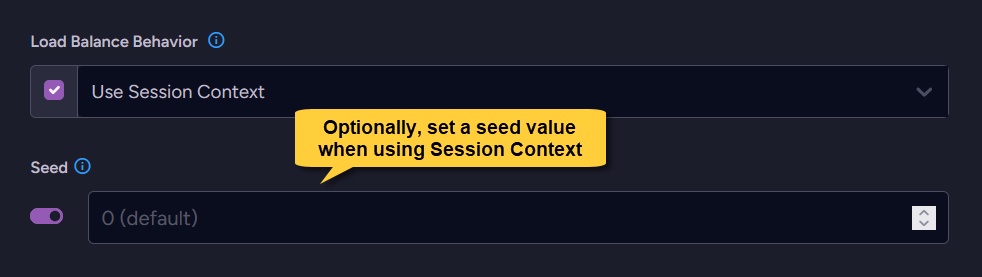
-
-
Read balance behavior
Set the "Read balance method" the client will use when accessing a node with Read requests.
The selected method also affects how the client chooses a failover node for Read requests.
For a detailed explanation see: Read balance behavior.Available options:
- None (default)
- Round Robin
- Fastest Node
-
Save
Click Save to apply the changes.